Cara Setup XRay Vless (Latest Build) - Pass Wall OpenWRT
Cara Setup XRay Vless (Latest Build) - Pass Wall OpenWRT
This is how to setup Xray vless in Pass Wall OpenWRT. The first setup is an OpenWRT Router that comes complete with a Wall Ver Pass. (Latest Build)
Step 1: Open OpenWRT and continue to the Service Menu -> Pass Wall
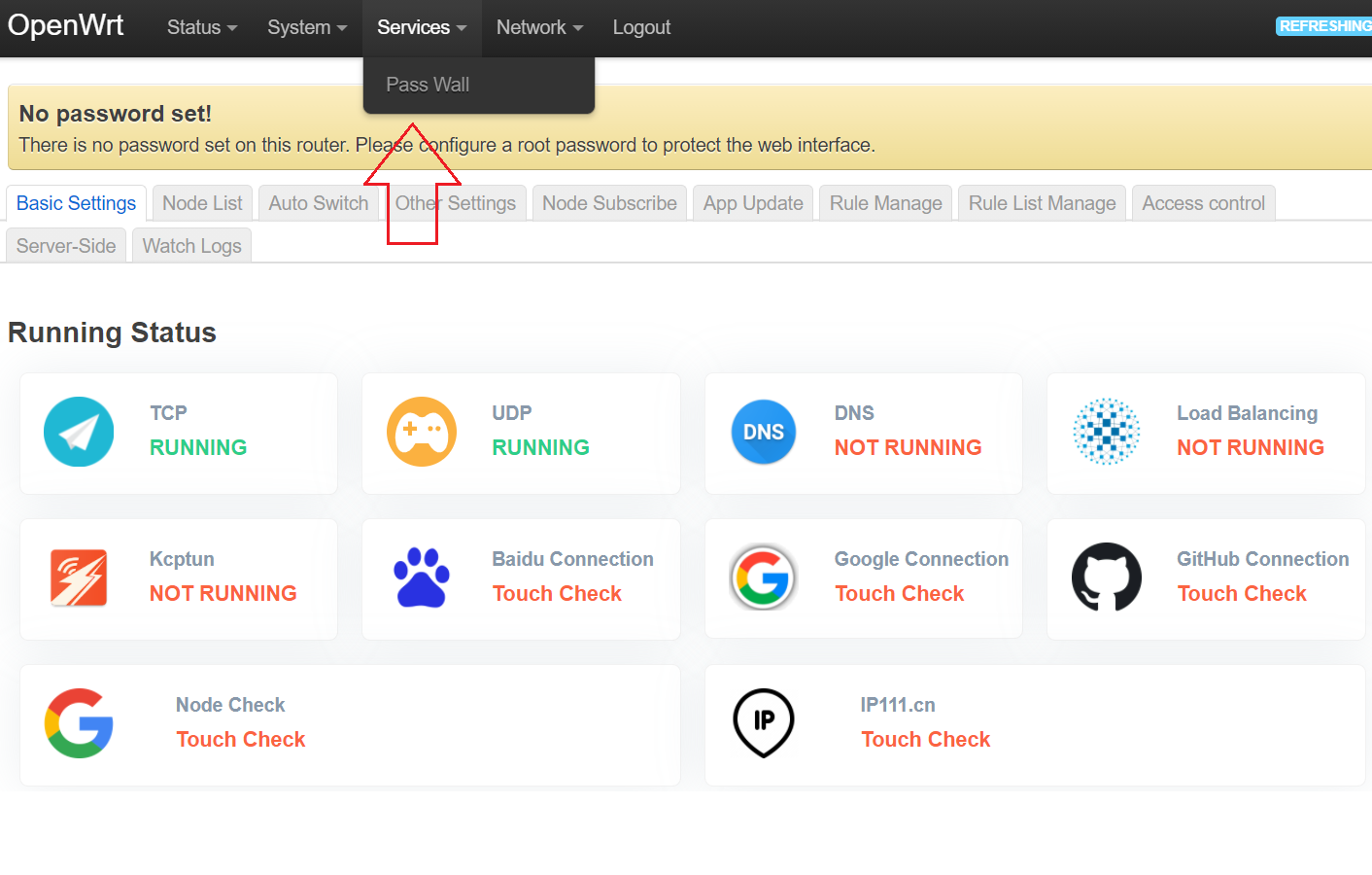
Langkah 2: Didalam interface pass wall, buka tab menu Node List --> Add the node via the link
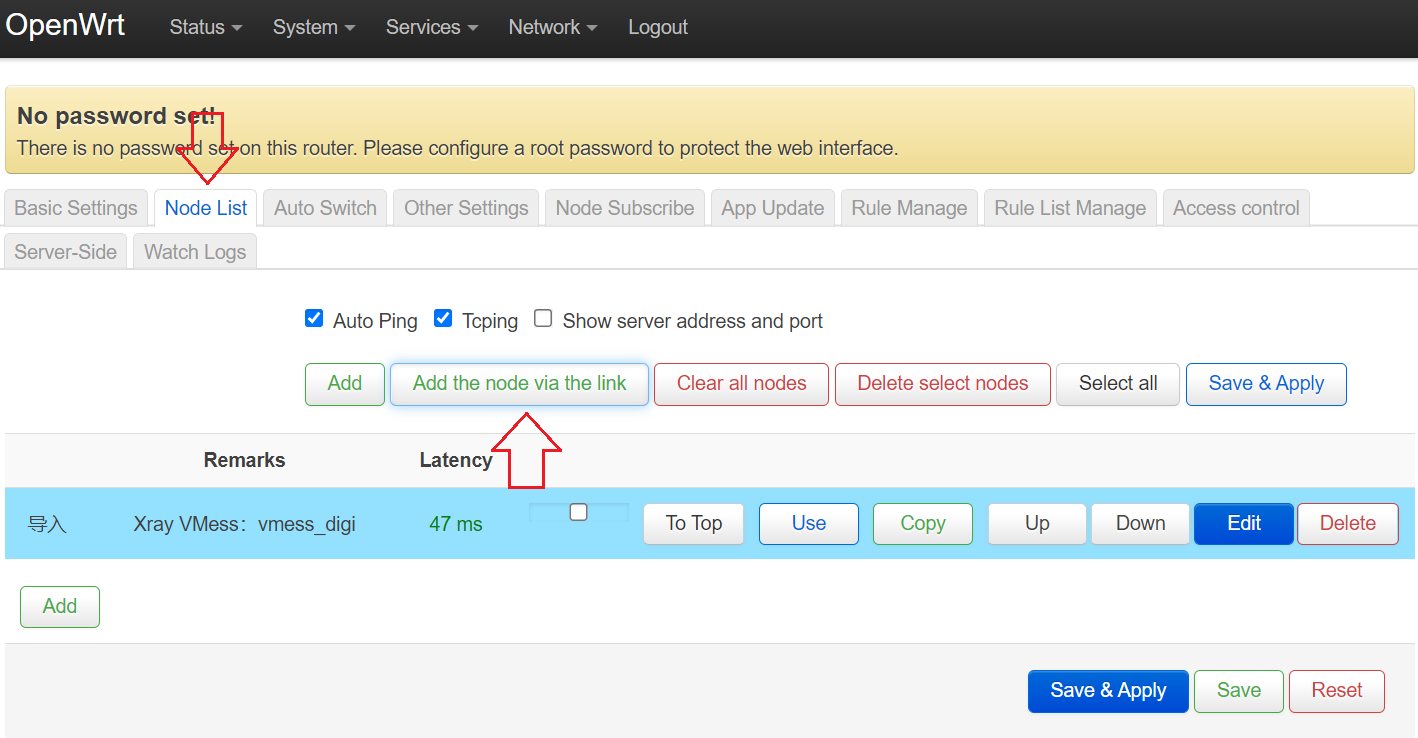
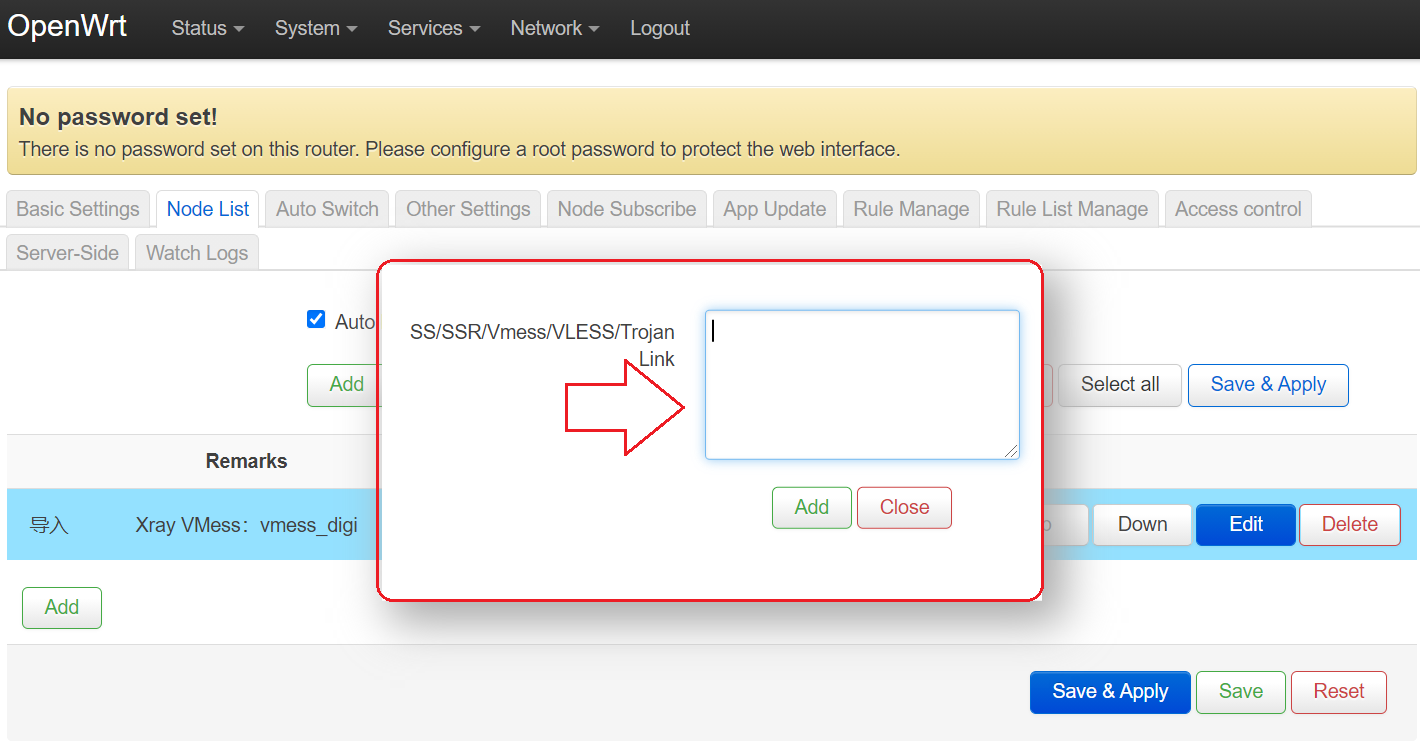
Step 3: Enter the config URL/LINK you received from the VPN seller in the box and click Add. An example for a vless URL is like this:
vless://mssvpnconfig-f840-8888-8ff2-4e77e79482a0@domain.mssvpn.xray.vless.xyz:9443?security=xtls&encryption=none&headerType=none&type=tcp&flow=xtls-rprx-splice&sni=domain.mssvpn.xray.vless.xyz#vless_MY_xtls_Telco_mssvpn
Config URL above is just an example, cannot be used!
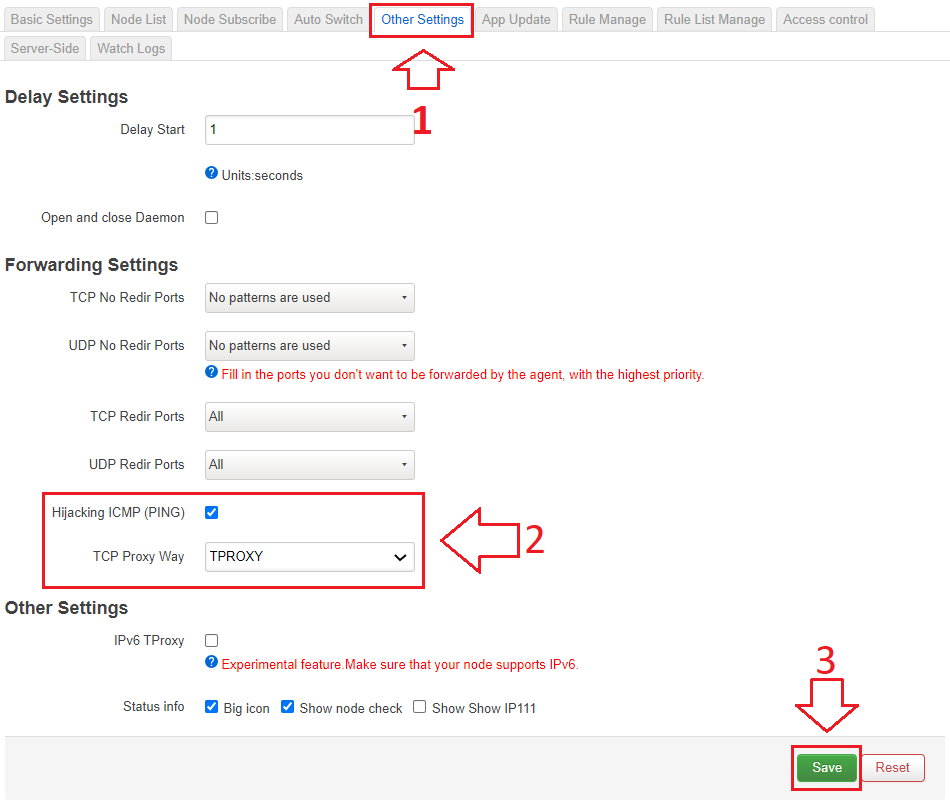
Langkah 4: Buka Tab Menu Other Settings, Tick Hijacking ICMP (PING) & TCP Proxy Way = TPROXY (Rujuk gambar) & tekan Save
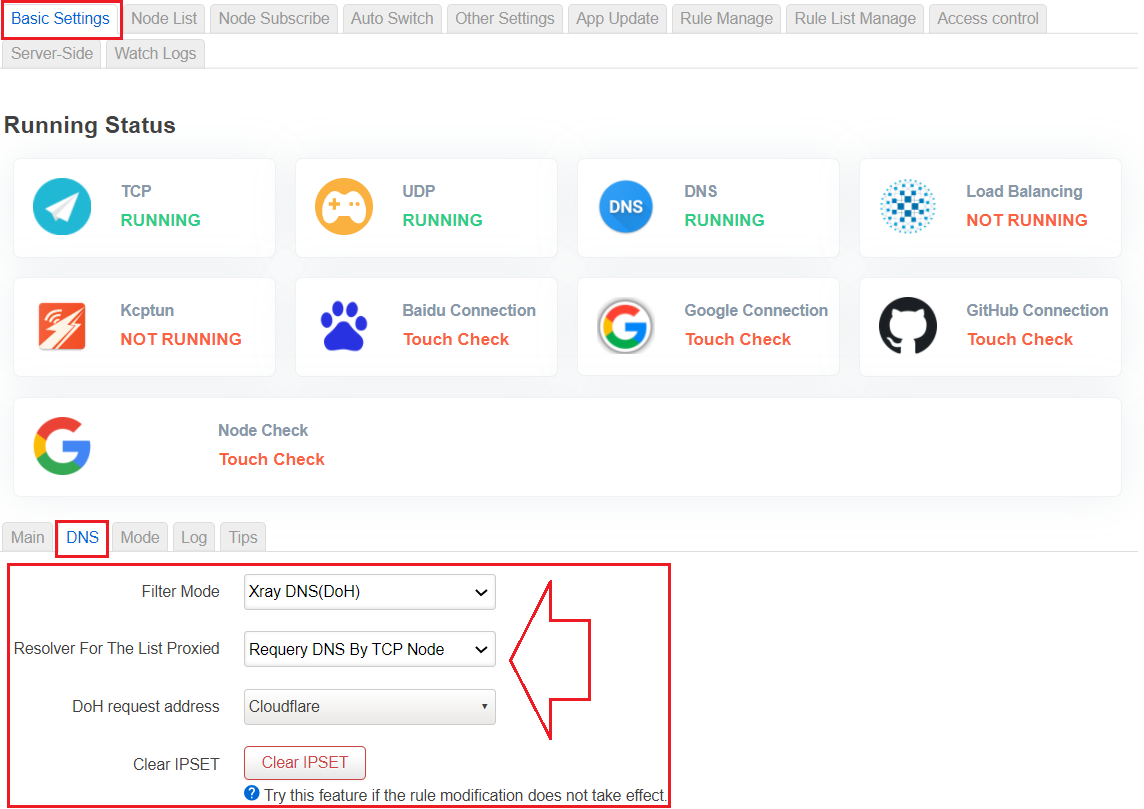
Step 5: Go to the menu tab Basic Settings --> DNS. Set DNS Passwall to Xray DNS(DoH) (as shown below)
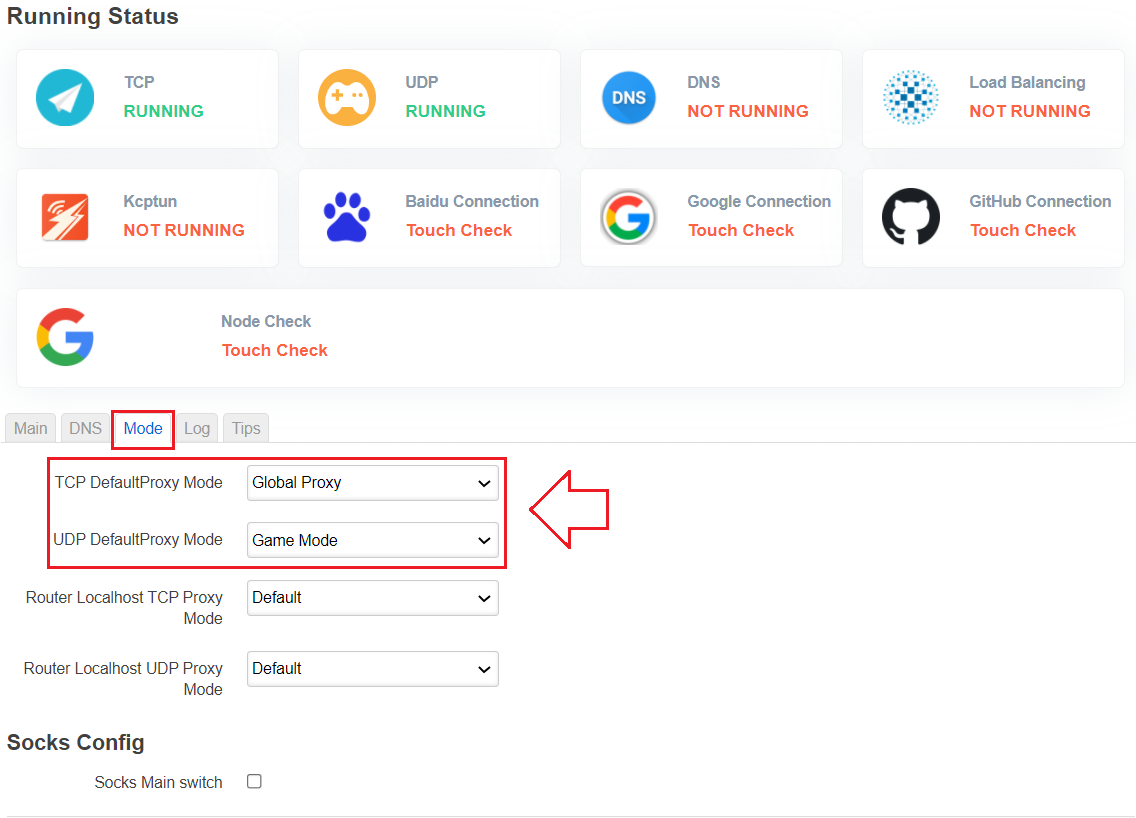
Step 6: Go to the menu tab Basic Settings --> MODE. Set UDP Passwall to Game Mode (as shown below)
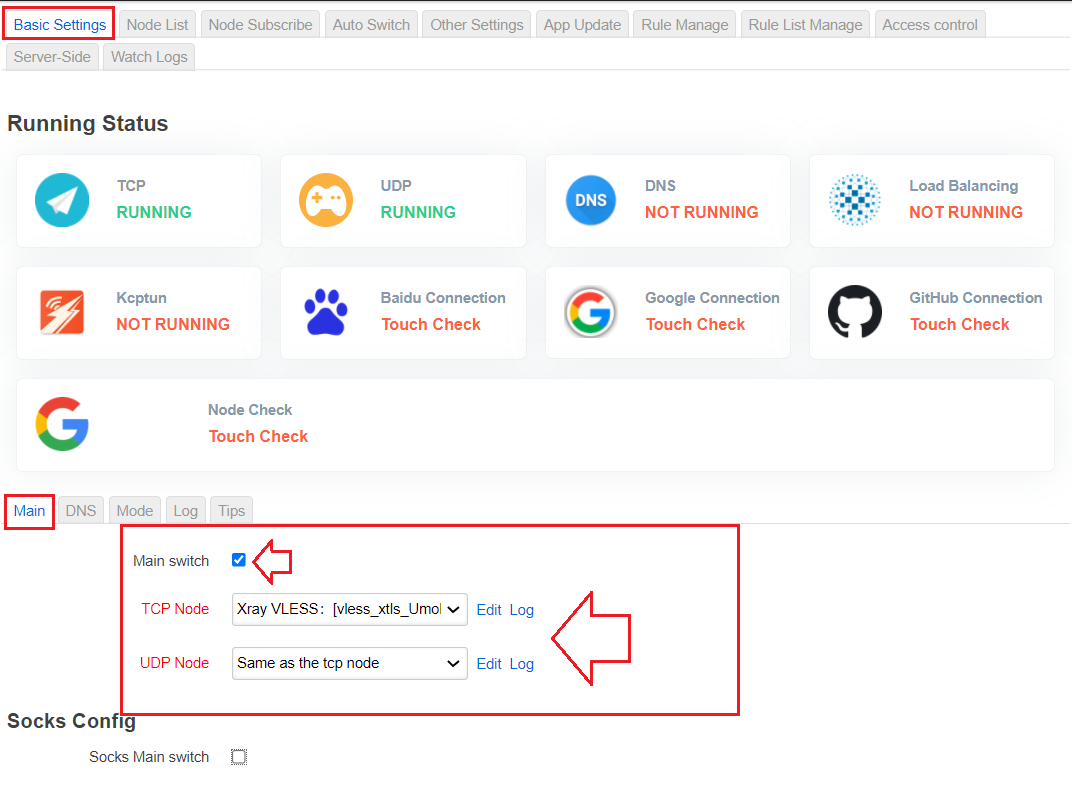
Step 7: Open the Basic Settings -> Main menu tab . You need to TICK on the Main switch and Set TCP Node & UDP Node as shown below. Your node name may vary depending on what your seller provides.
Step 8: Finally you need to click the Save & Apply button .
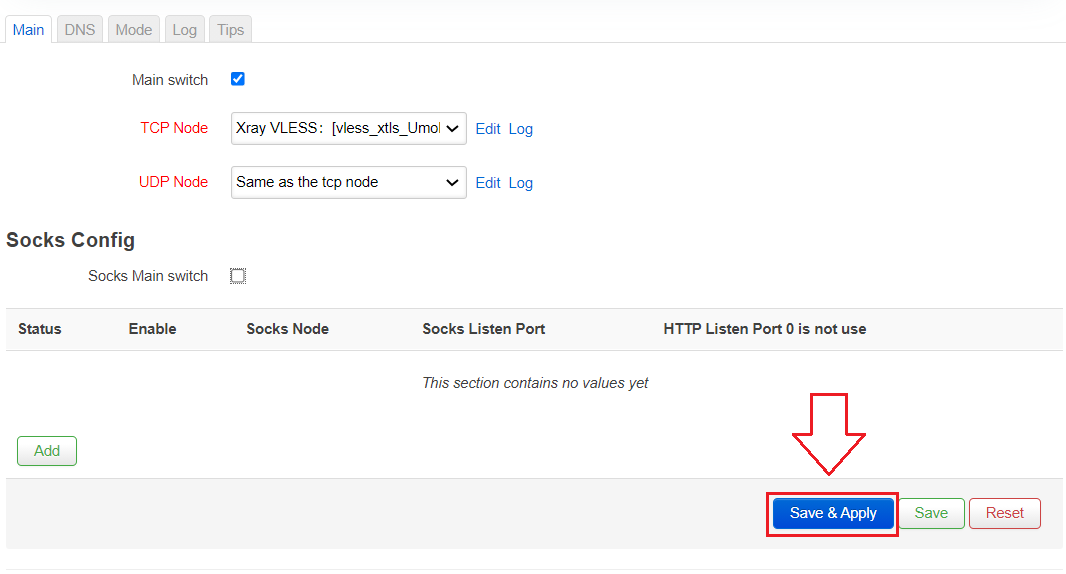
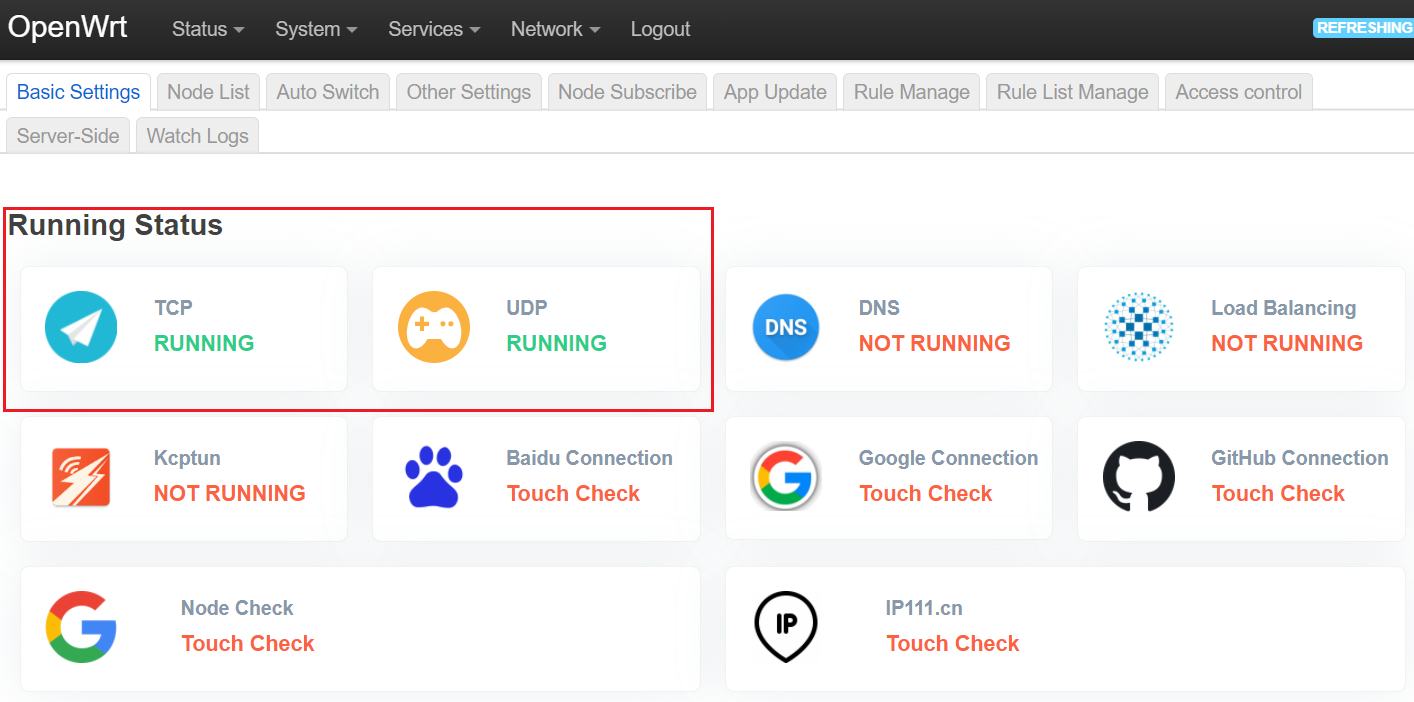
If the Running status is green as in the picture above, this means you have successfully setup the wall pass. You can test speedtest, surfing, youtube, facebook, googleplay and so on.
Good luck!.
Any questions can be directed to t.me/mssvpn_hq
If you are looking for XRay Vless, you can purchase the config with t.me/mssvpn_hq
Thank you.null


Comments
Post a Comment