Troubleshoot Digi - Pass Wall OpenWRT
Troubleshoot Digi - Pass Wall OpenWRT
This time I will show you some troubleshoots that you need to do if there is a problem connection Digi with Pass Wall OpenWRT. Follow these steps to troubleshoot.
Troubleshoot 1: Set Custom DNS Dalam Modem
This custom DNS can usually be changed on Huawei MOD modems, but there are also types of firmware that do not support custom DNS under this Profile Management. If it is found that your modem firmware does not support custom DNS functions, you can contact Modem Modders for the appropriate firmware update.
Step 1: Login Page Huawei Modem (192.168.8.1)
Menu Settings -> Profile Management -> Set new profile as shown below:
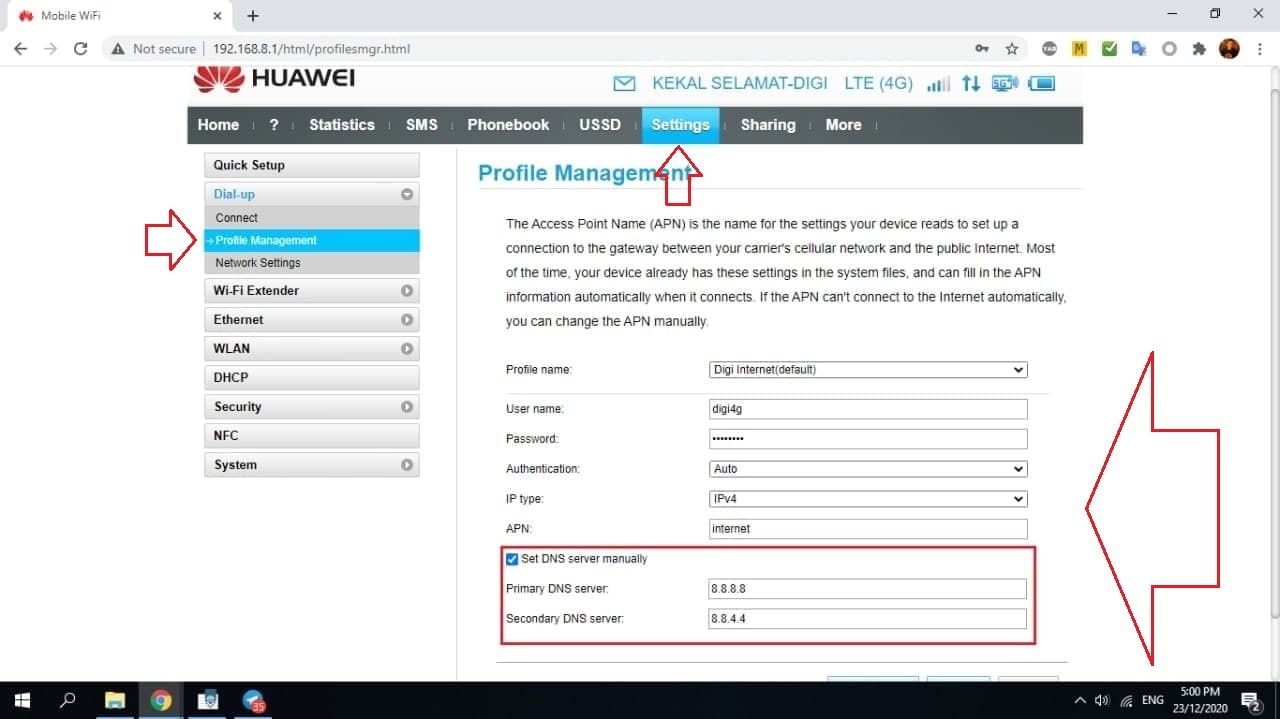
You need to click the New Profile
Setting button that you need to enter is:
Click New Profile
Profile Name: Digi Internet
Username: digi4g
Password: digi4g
Authentication: Auto
IP Type: IPV4
APN: Internet
TICK set DNS Server Manual (ignore if no tick button is missing)
Primary DNS: 8.8.8.8
Secondary DNS: 8.8.4.4
After completing the setup, click the set profile & save button. Please restart the modem (on/off power modem) to ensure the modem uses this new setup.
Troubleshoot 2: Set Custom DNS pada Interface LAN & WAN OpenWRT
Langkah 1: Custom DNS LAN Interface
Anda login OpenWRT -> Menu Network -> Interface -> Edit Button LAN
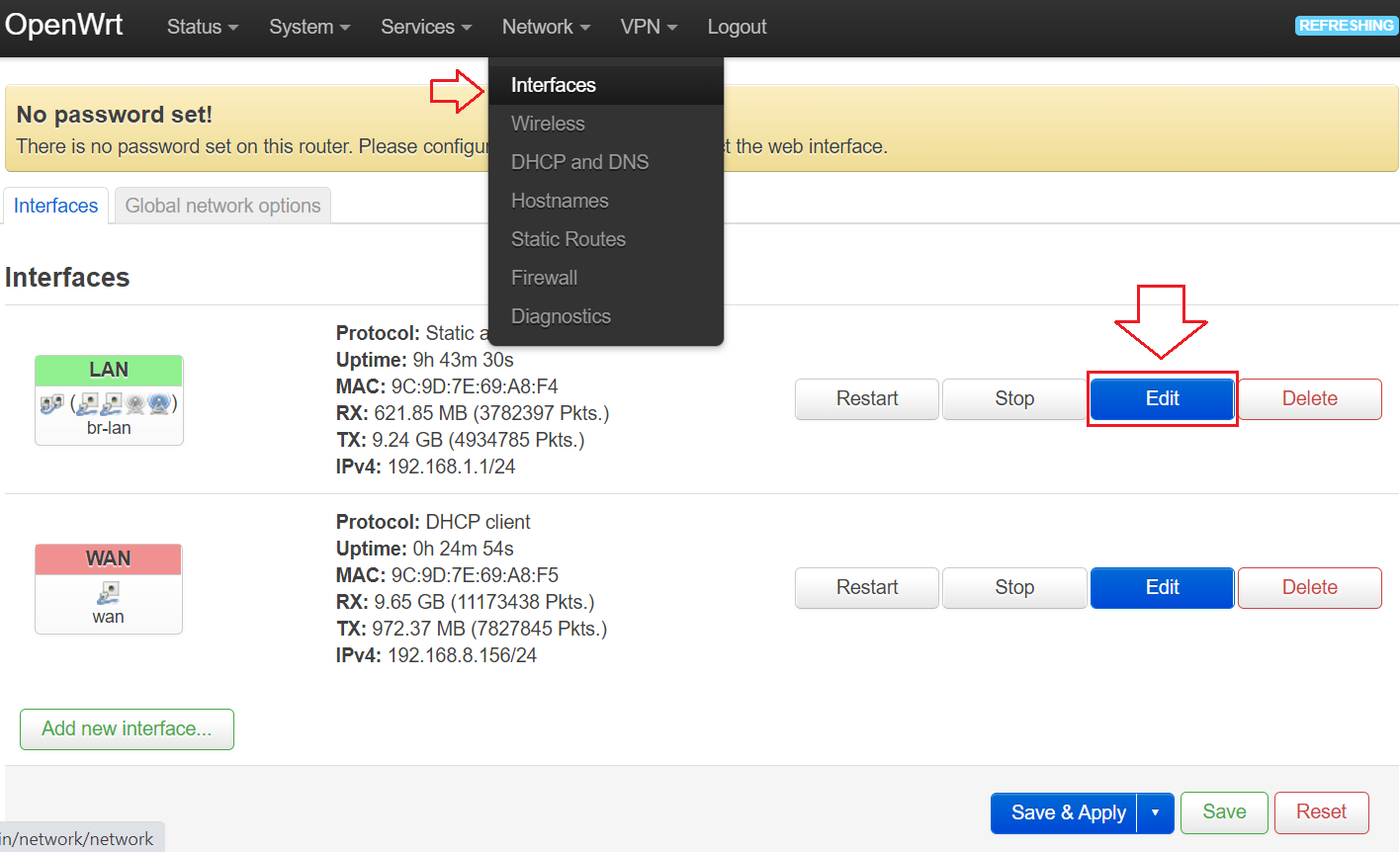
Please Setup like the picture below and press the save button :
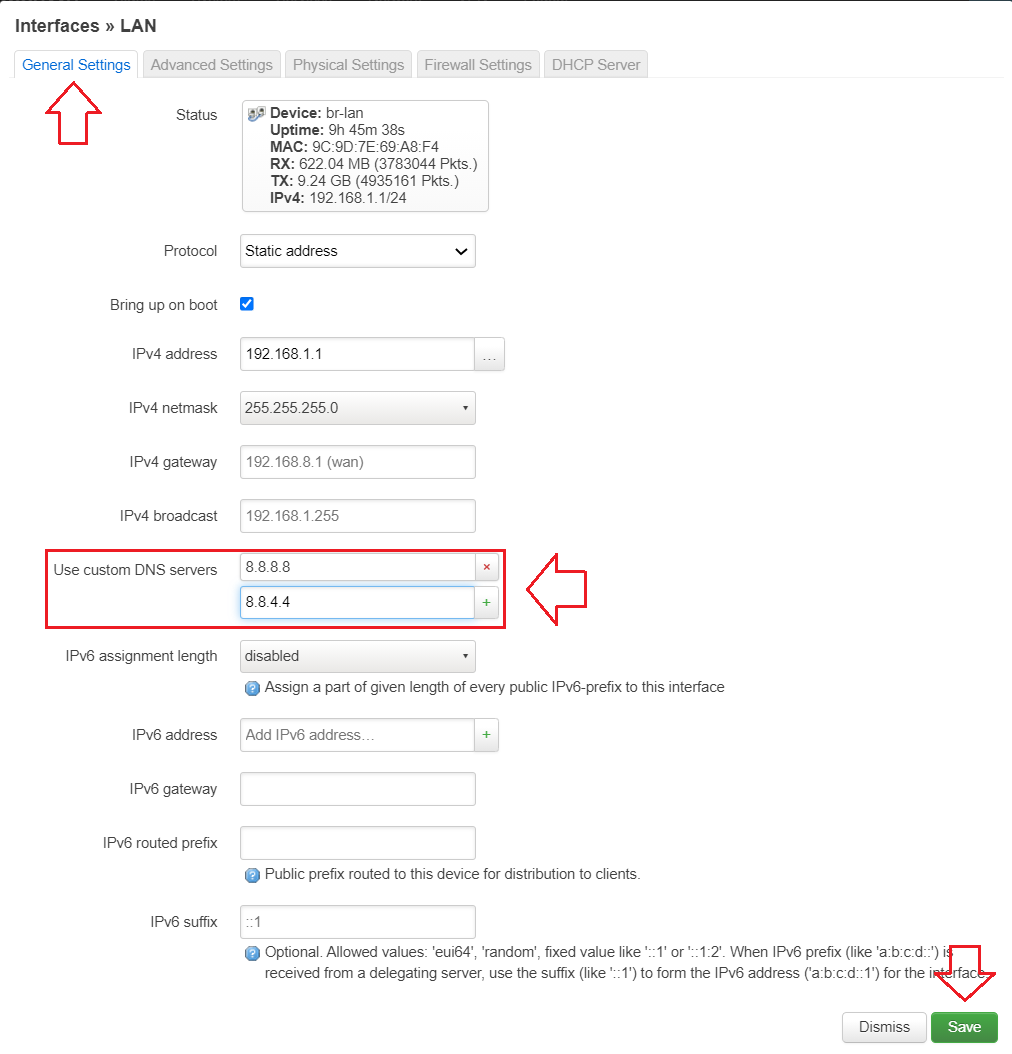
Langkah 2: Custom DNS WAN Interface
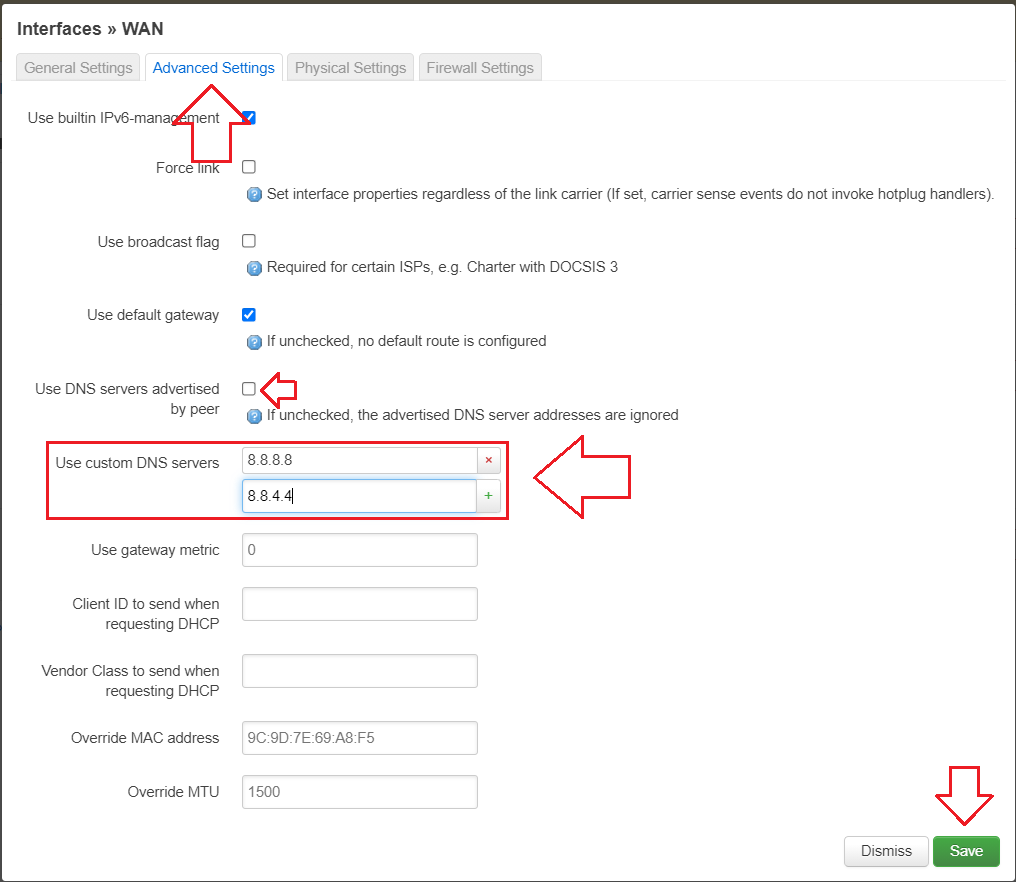
Menu Network -> Interface -> Edit Button WAN
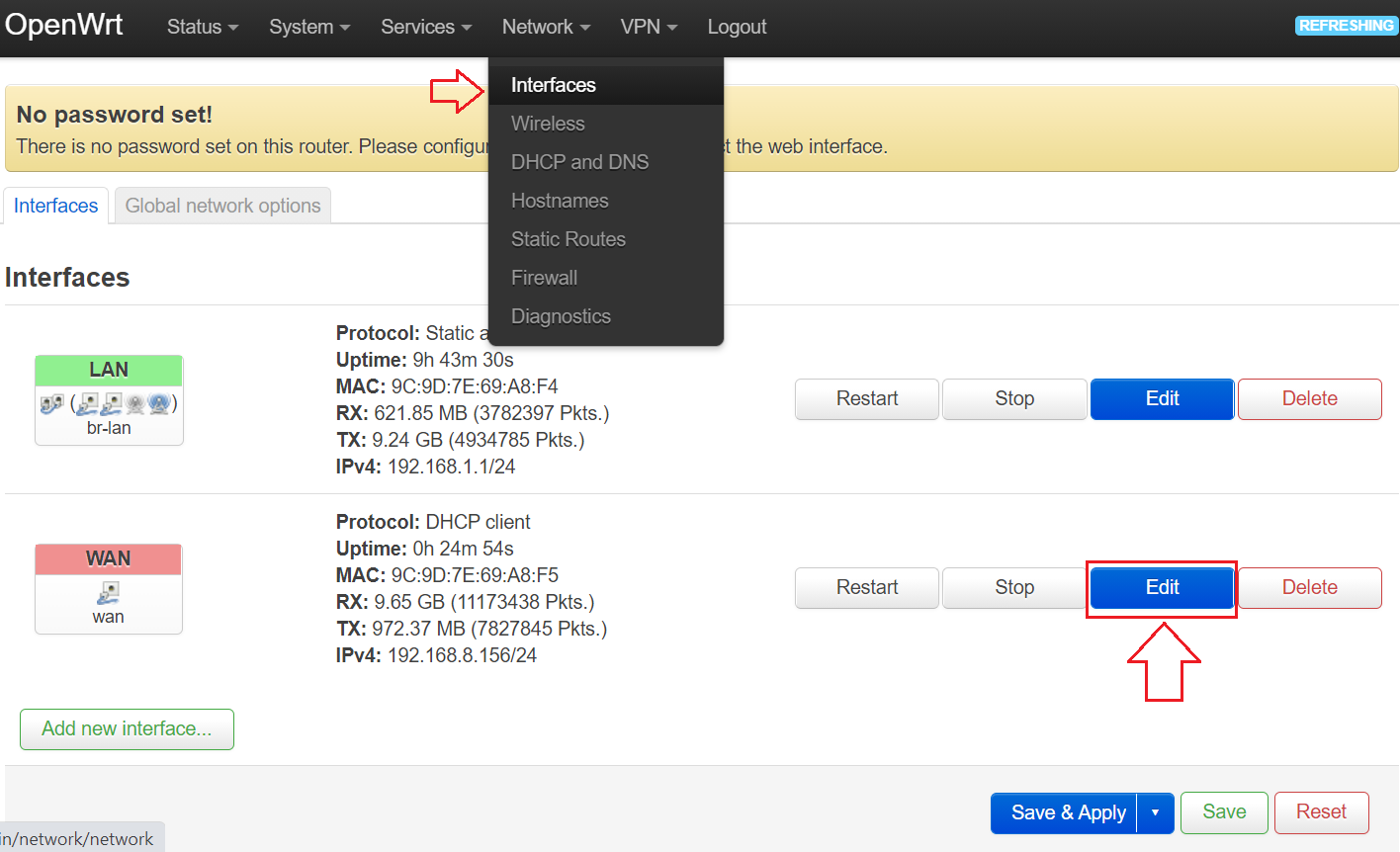
Please Setup like the picture below and press the save button :
Note, you need to untick on Use DNS servers advertised by peer
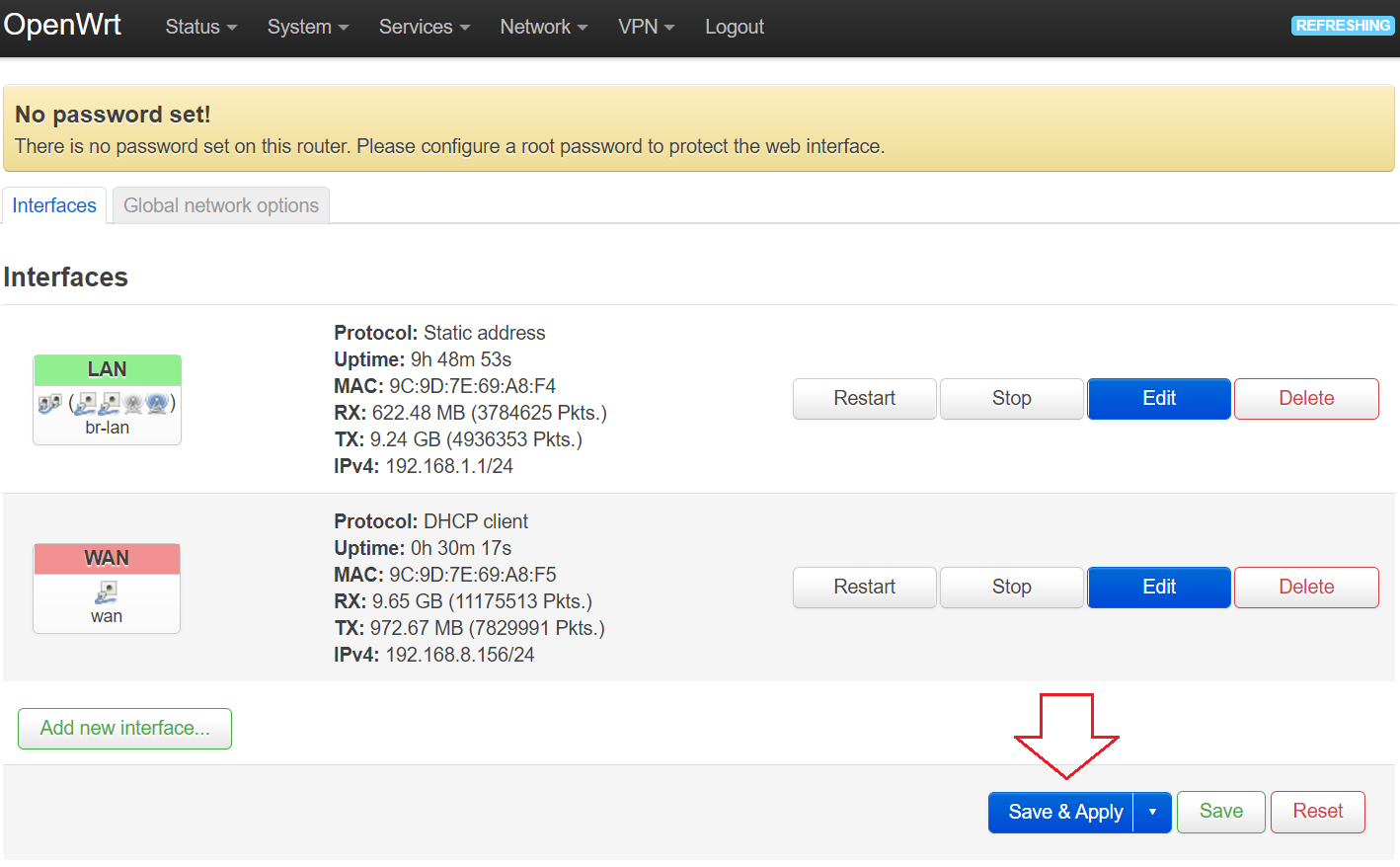
Step 3: Click the save & apply button to make sure the rotator saves the setup you did just now. To make sure everything runs smoothly, I encourage you to restart the router (on/off power plug router or use the reboot button).
Done, that’s all the setup you need to do to use Digi with OpenWRT Wall Pass.
Good luck!.


Comments
Post a Comment