Install Module Watchcat OpenWRT
Install Module Watchcat OpenWRT - By MSSVPN
When using OpenWRT, many people complain of Disconnect from internet (DC) problems especially when using the Pass Wall injector. So to solve this DC problem, you can try an additional Module called Watchcat.
This watchcat function can help to re-connect or automatically reboot based on certain factors according to the settings you use.
All right, to use this module, please follow these steps:
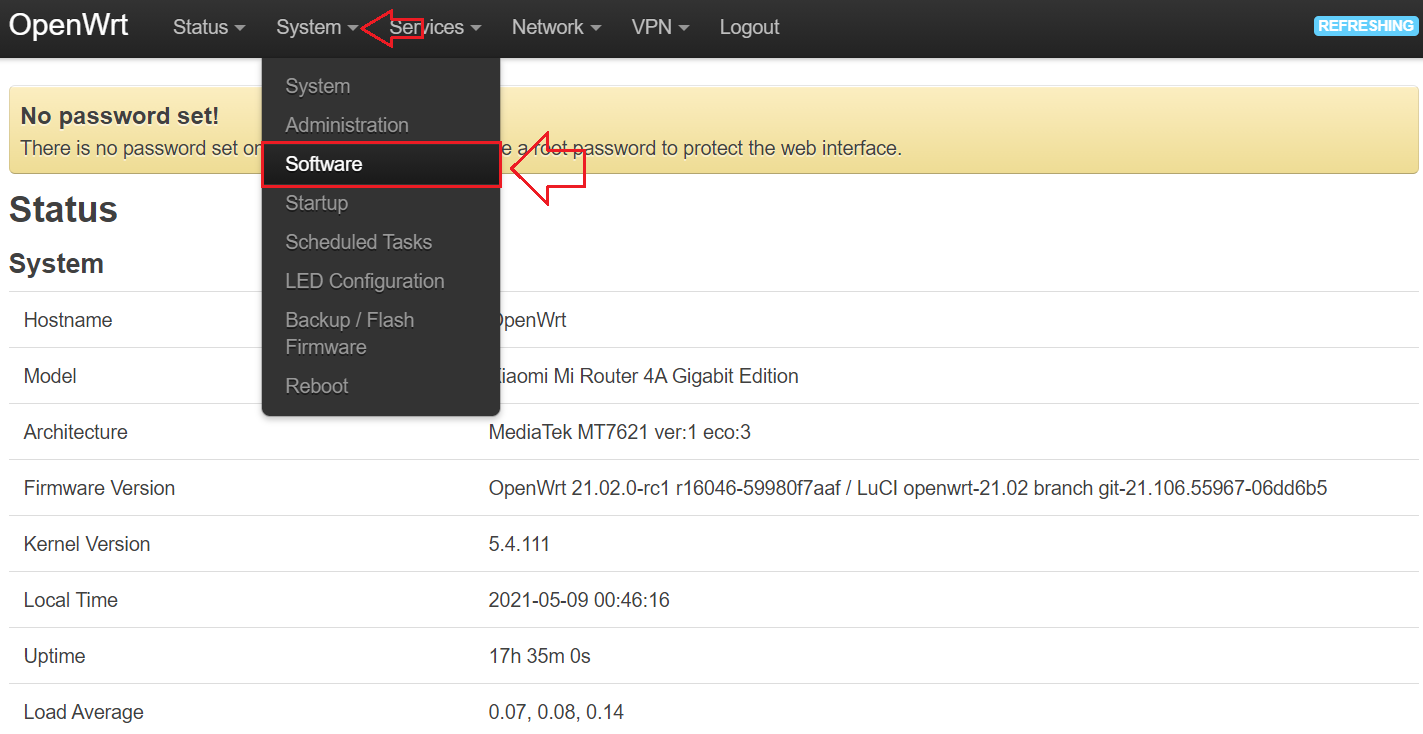
Step 1: Go to menu System -> Software
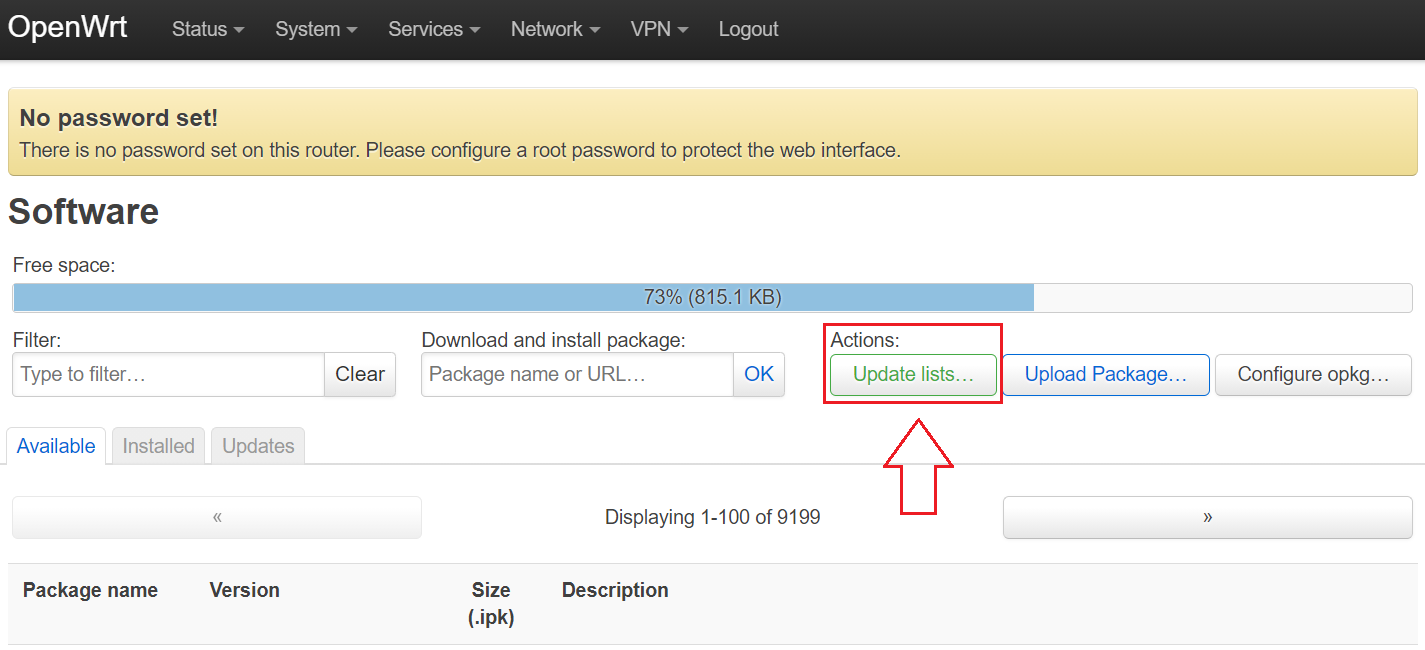
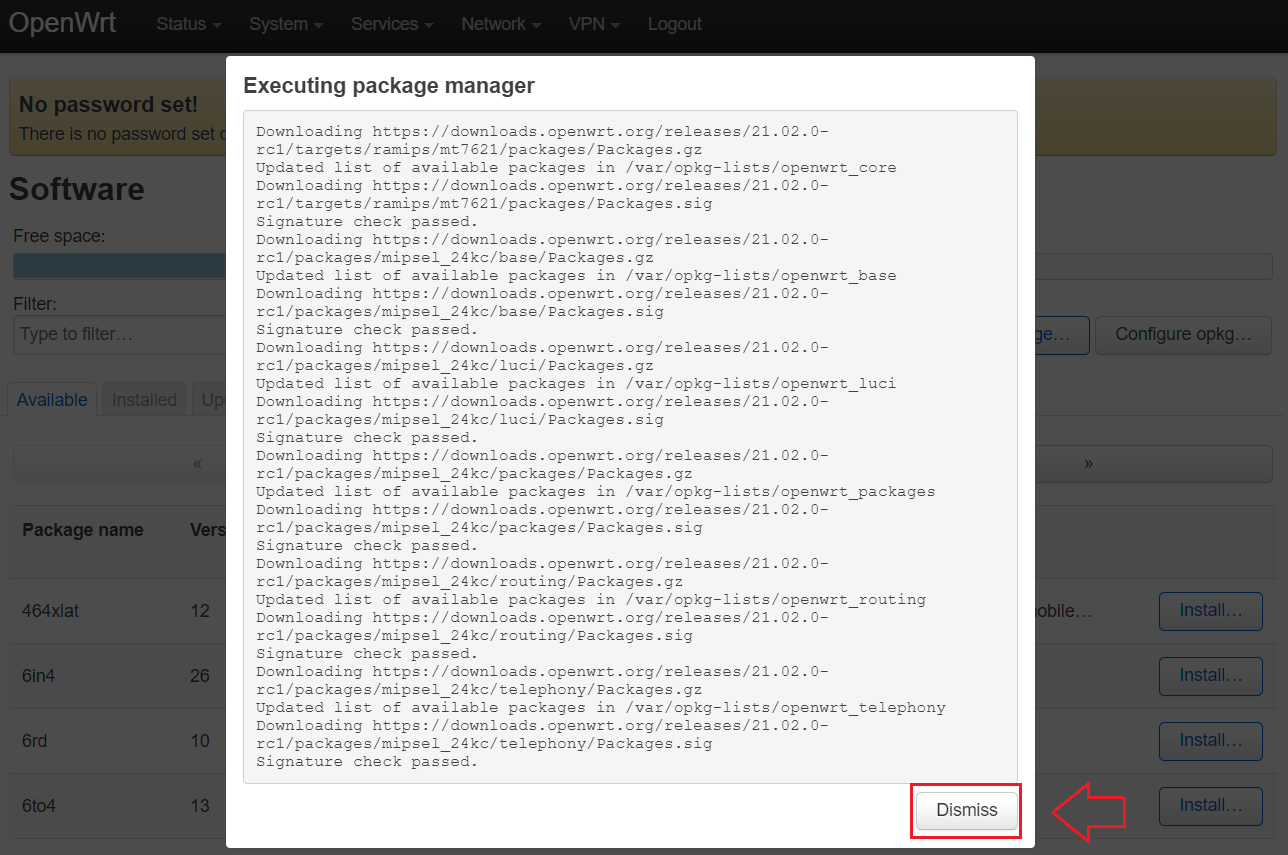
Step 2: Click on the Update Lists button .
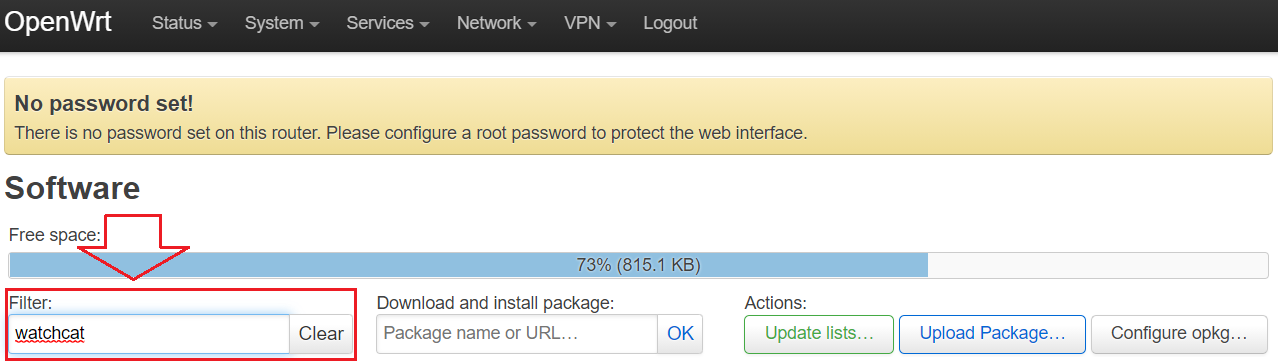
Step 3: Type in the Filter box : watchcat
Step 4: Scroll and find the name watchcat & luci-app-watchcat , install these two modules.
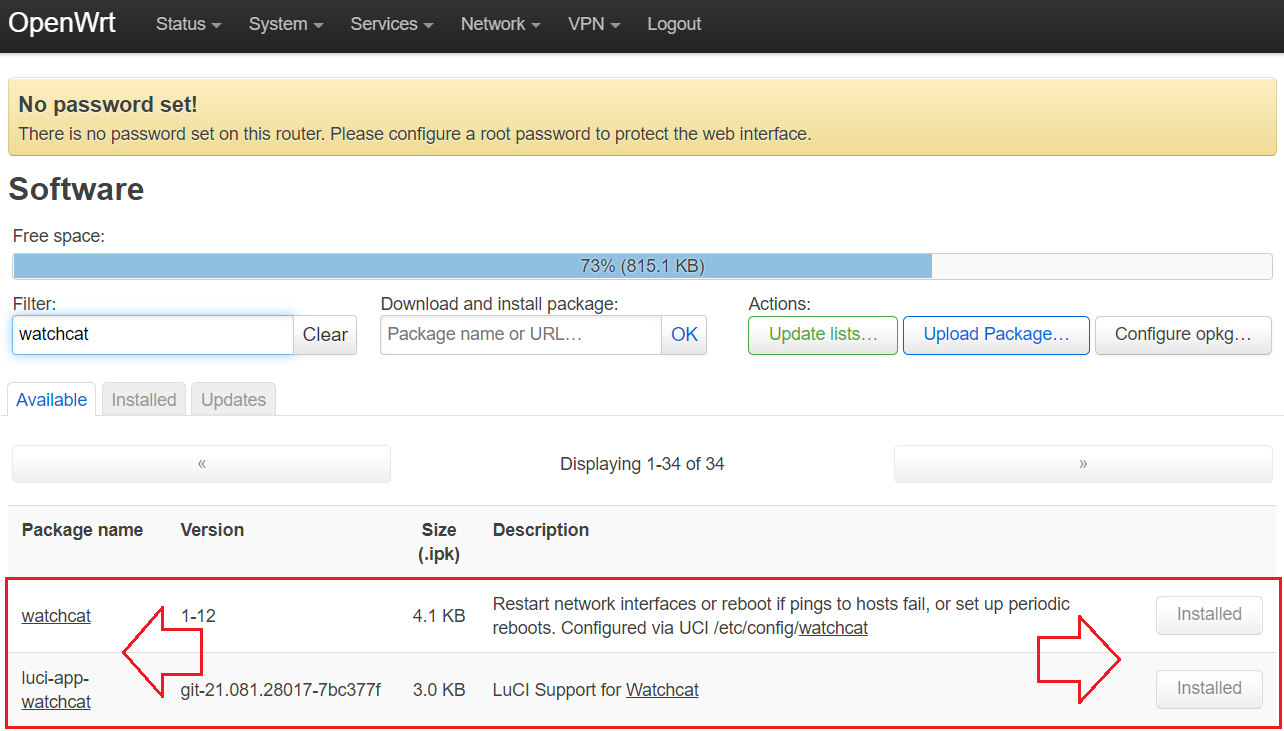
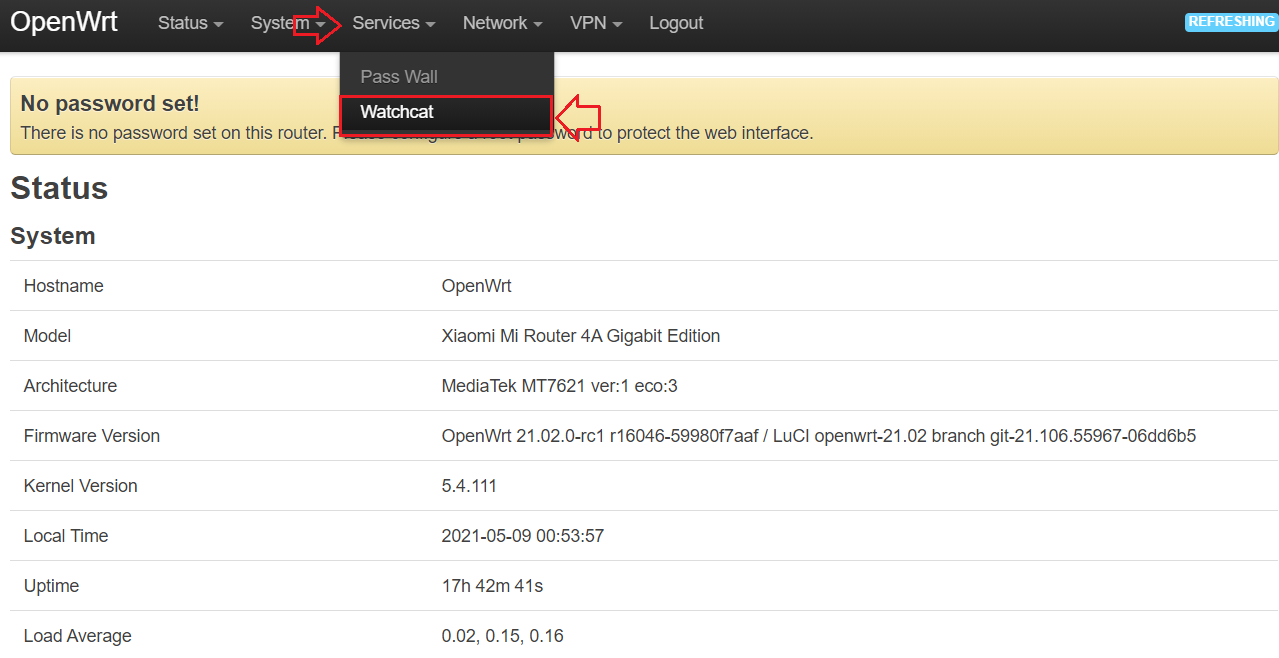
Step 5: After successful installation, you need to logout from the OpenWRT web page and login again . This is necessary to ensure that the Watchcat menu appears under the services sub menu
Step 6: You just follow the settings as in the picture below & click save & apply
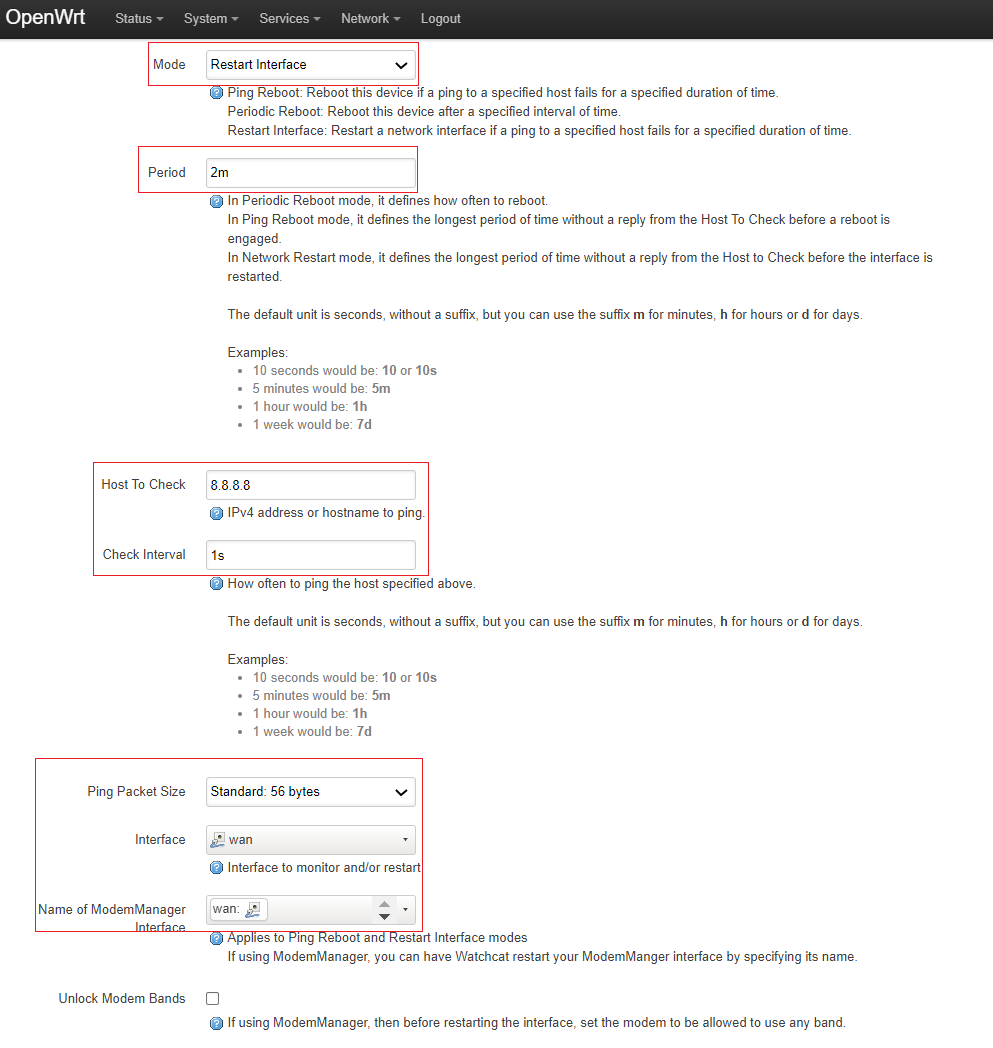
Done, that's all the setup needed. The rest of the watchcat will help you automatically restart the WAN Interface in case of DC or lost connection. Hopefully useful.
Any questions or feedback, you can submit to t.me/mssvpn_hq
Thank you.null


Comments
Post a Comment