Tips Pass Wall Delay/Lost Connection - v1.1
Tips Pass Wall Delay/Lost Connection - v1.1
Thanks for the feedback from MSSVPN + Pass Wall + VLESS users. Feedback from all of you helped me to improve my OpenWRT Pass Wall setup.
Tips this time are related to the problem of delay connection/Lost Connection where you will experience problems loading or buffering immediately even though the pass wall is connected. For that, you can try the tips and steps below:
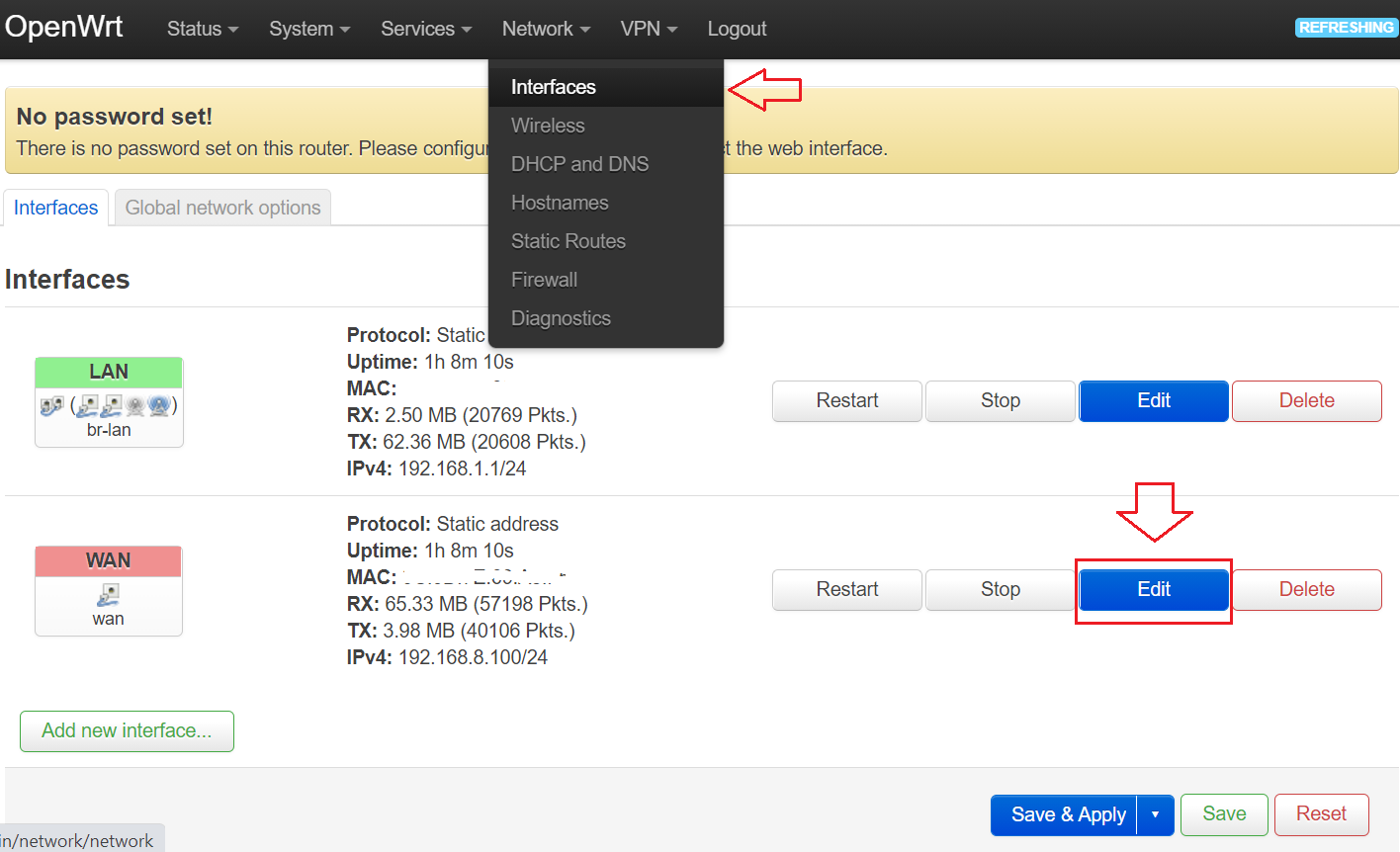
Langkah 1: Set Static IPV4 WAN Interface OpenWRT
Login OpenWRT -> Menu Network -> Interface -> Edit WAN
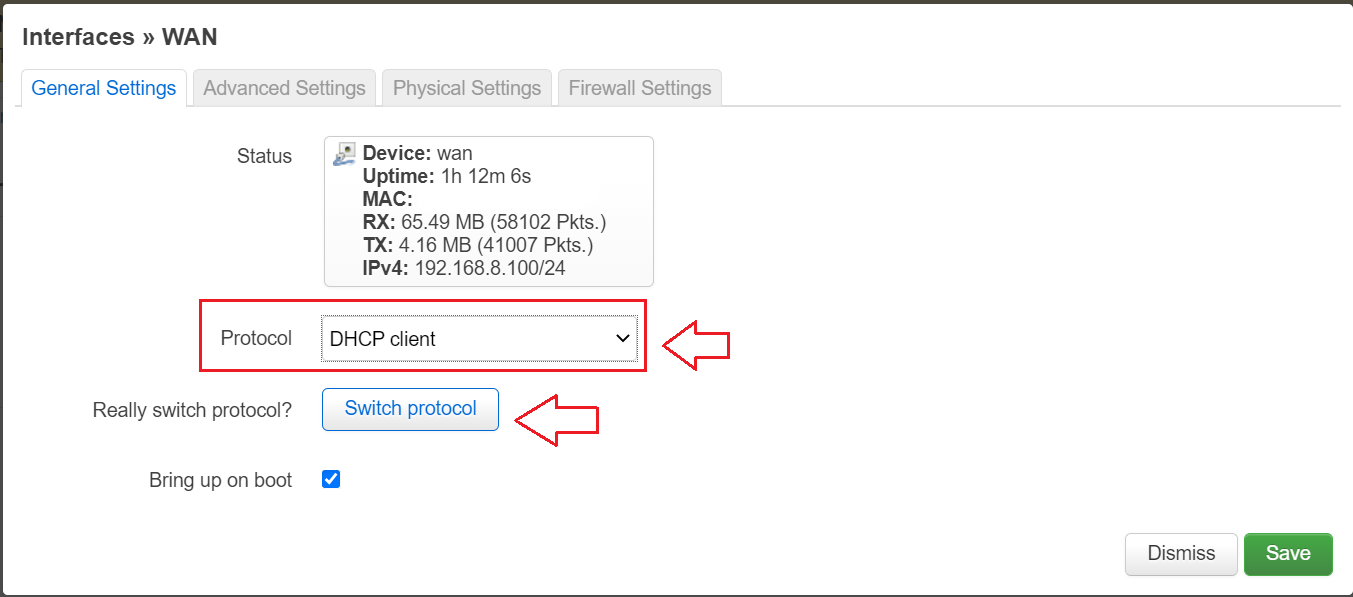
Step 2: Switch to Static Protocol & Click Switch protocol
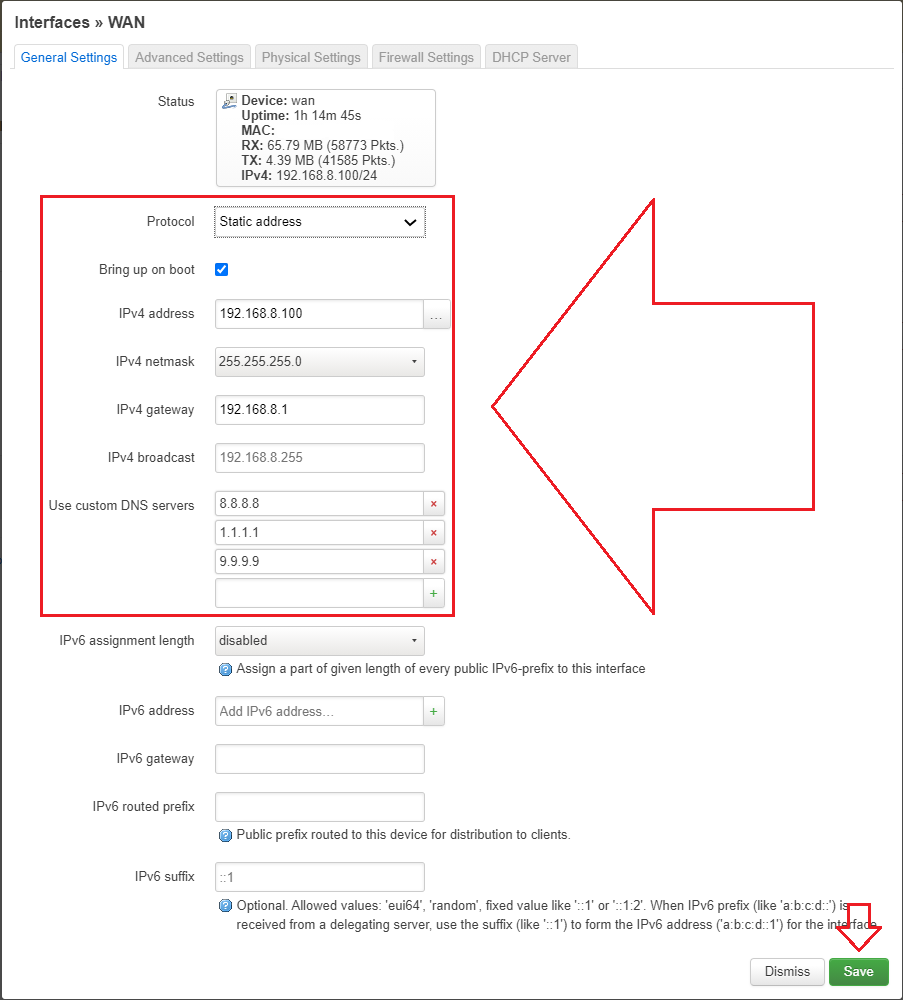
Step 3: Set static protocol information as pictured below & click save and save & apply to ensure the setup is changed successfully .


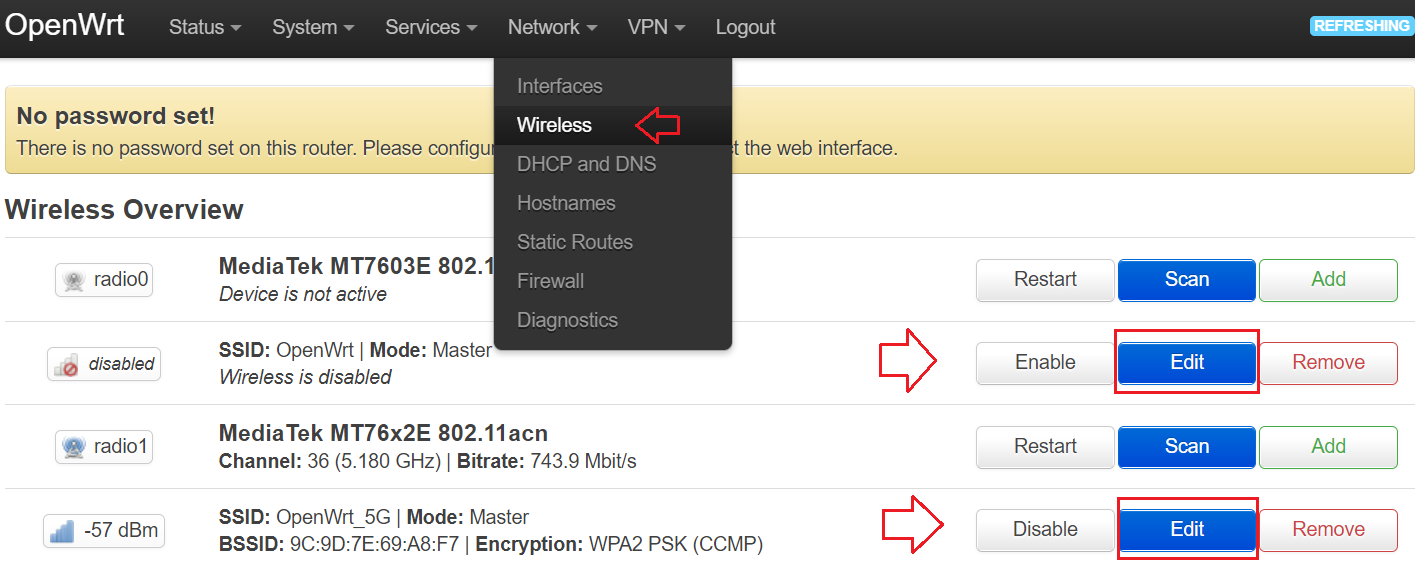
Langkah 4: Disable Disassociate On Low Acknowledgement Wireless OpenWRT
Menu Network -> Wireless -> Edit Wireless Interface 2.4 & 5.0 ghz
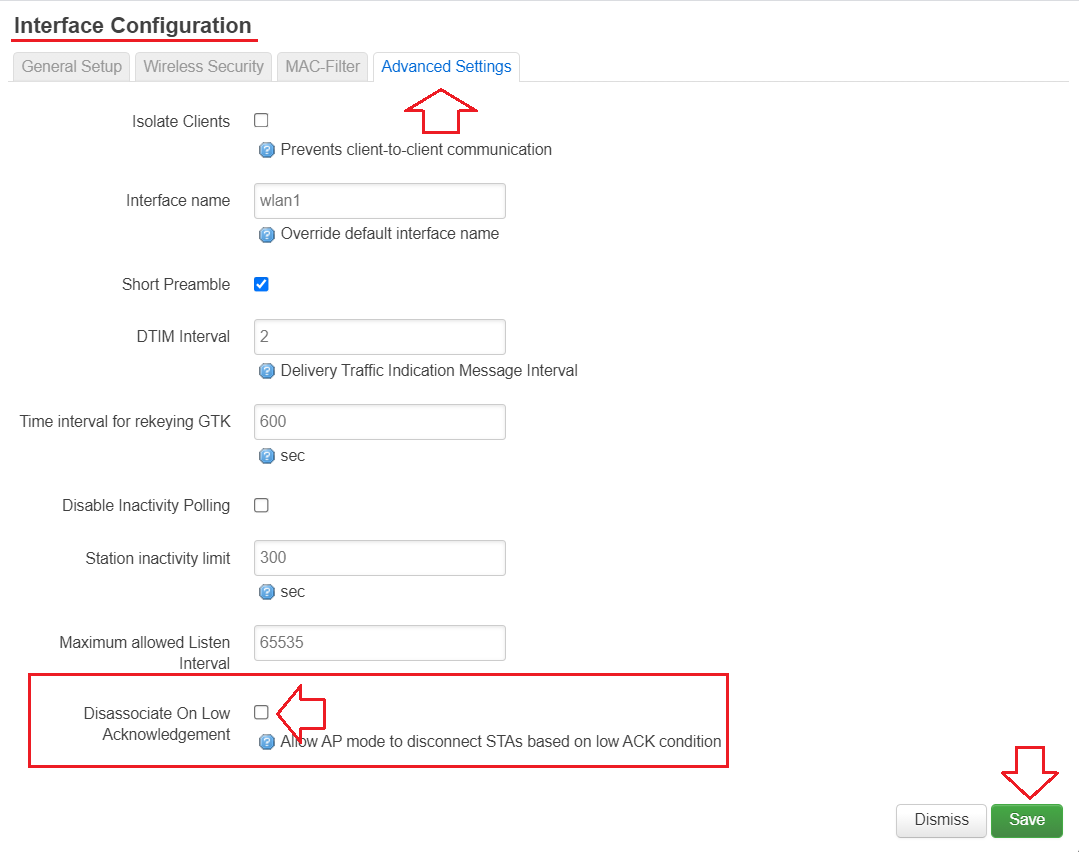
Step 5: Restart Router or on/off power plug router.
Finished setup.
To ensure that the static IPV4 you select is in the correct DHCP Modem network, you need to check the DHCP IP Range. By default the huawei MODem will support DHCP IPV4 Range 192.168.8.100 ~ 192.168.8.249. So the static IPV4 settings above are correct.
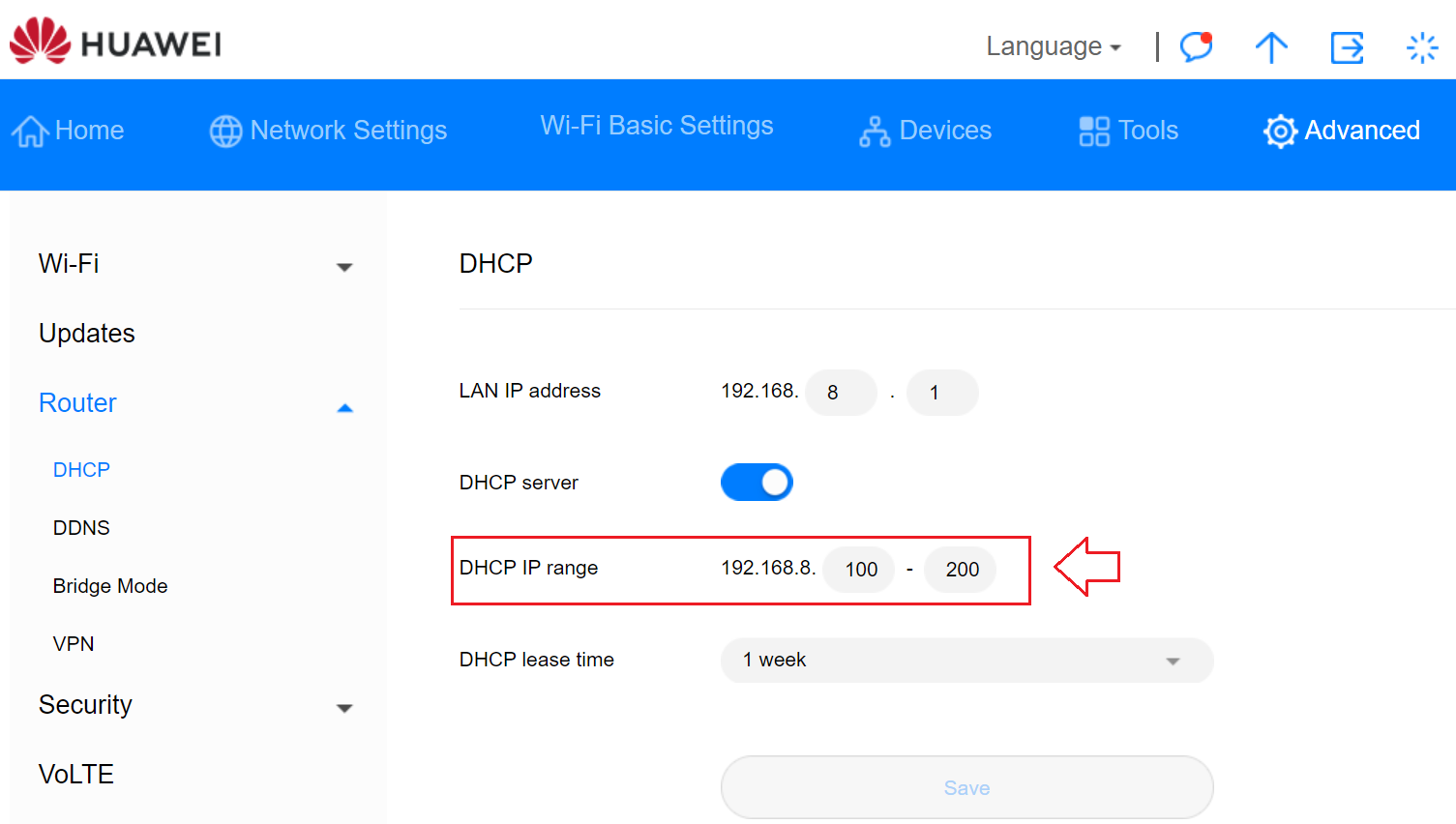
However, if your DHCP modem is different, please enter the supported static IPV4 to avoid the absence of internet after this static IP setup.
That's all the setup for this time. If there is any feedback, please send it to t.me/mssvpn_hq
Thank you.null


Comments
Post a Comment