Setup Custom DNS - OpenWRT
Setup Custom DNS - OpenWRT
In this tutorial I show you how to setup Custom DNS in OpenWRT. Follow the steps below:
Step 1: Login OpenWRT ( 192.168.1.1 )
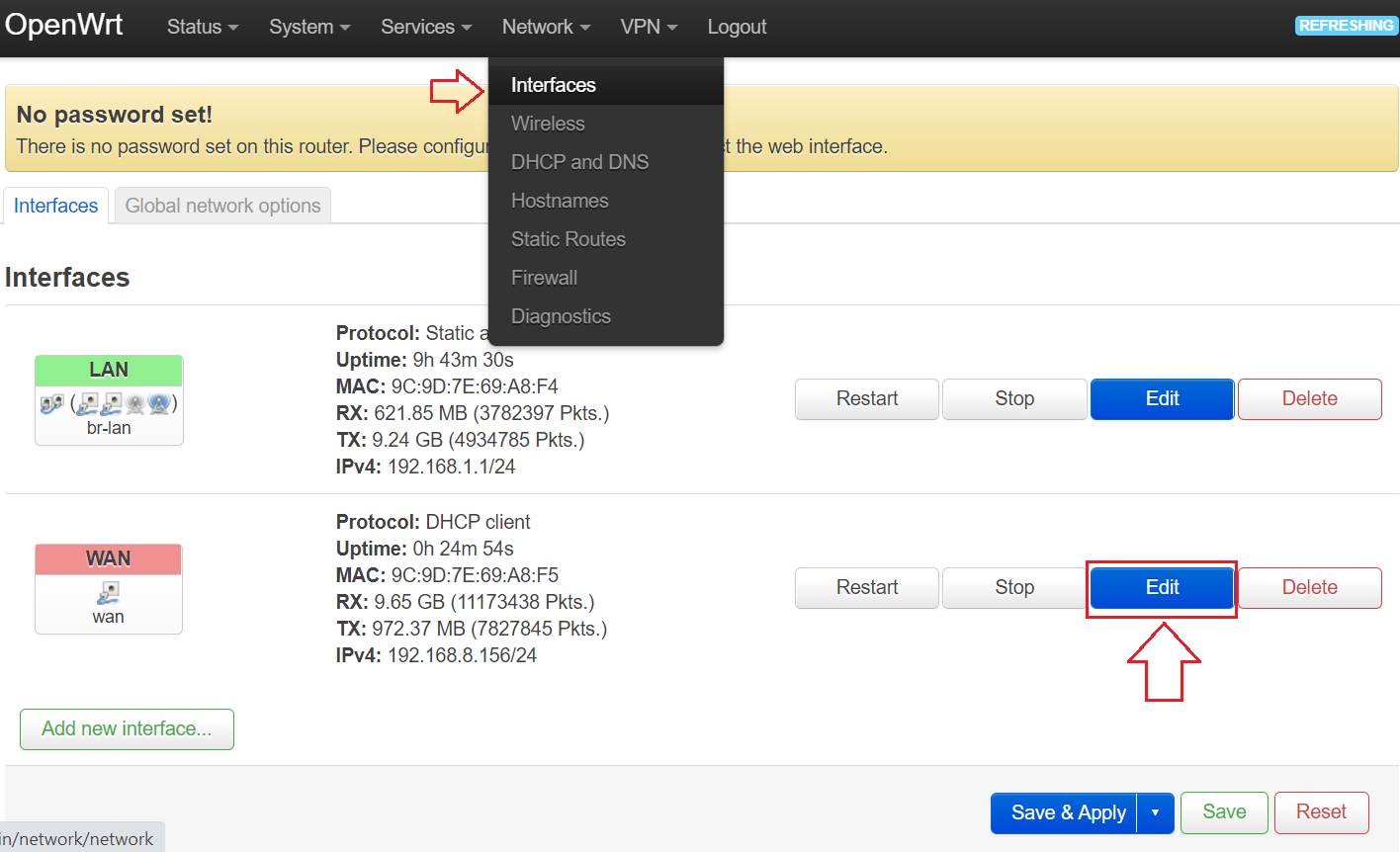
Step 2: Open the Network -> Interface menu ( http://192.168.1.1/cgi-bin/luci/admin/network/network ) -> Click the Edit WAN Interface button:
Step 3: Select Advanced Settings & setup as shown below:
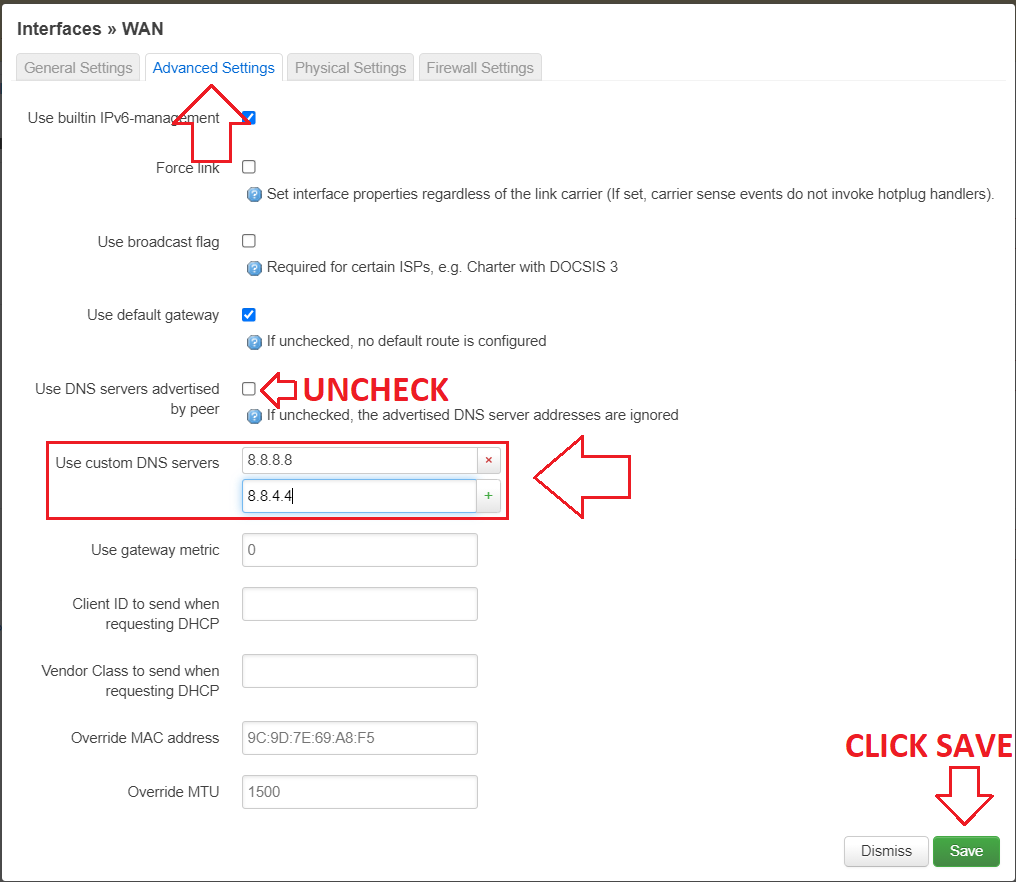
After setup, don't forget to click save. Many forget to save so the setup is not saved.
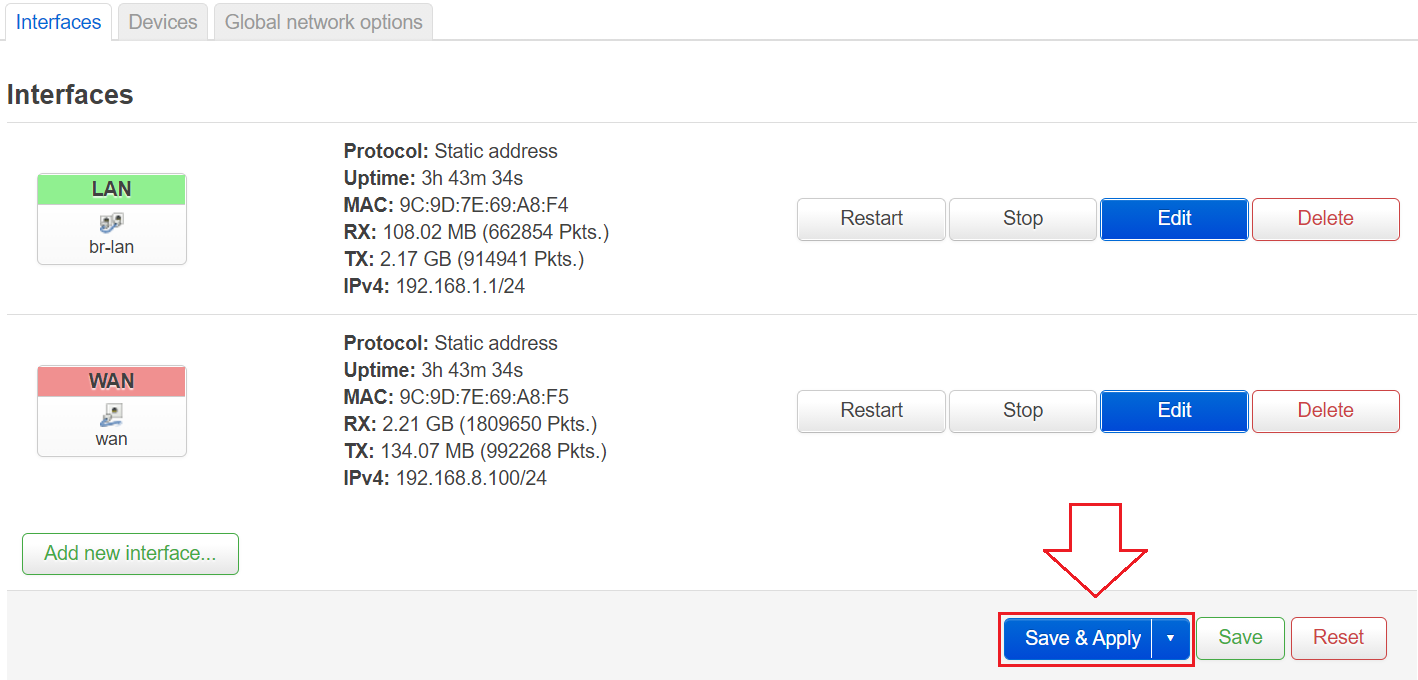
After saving, click Save & Apply.
Step 4: Click the Restart WAN interface button.
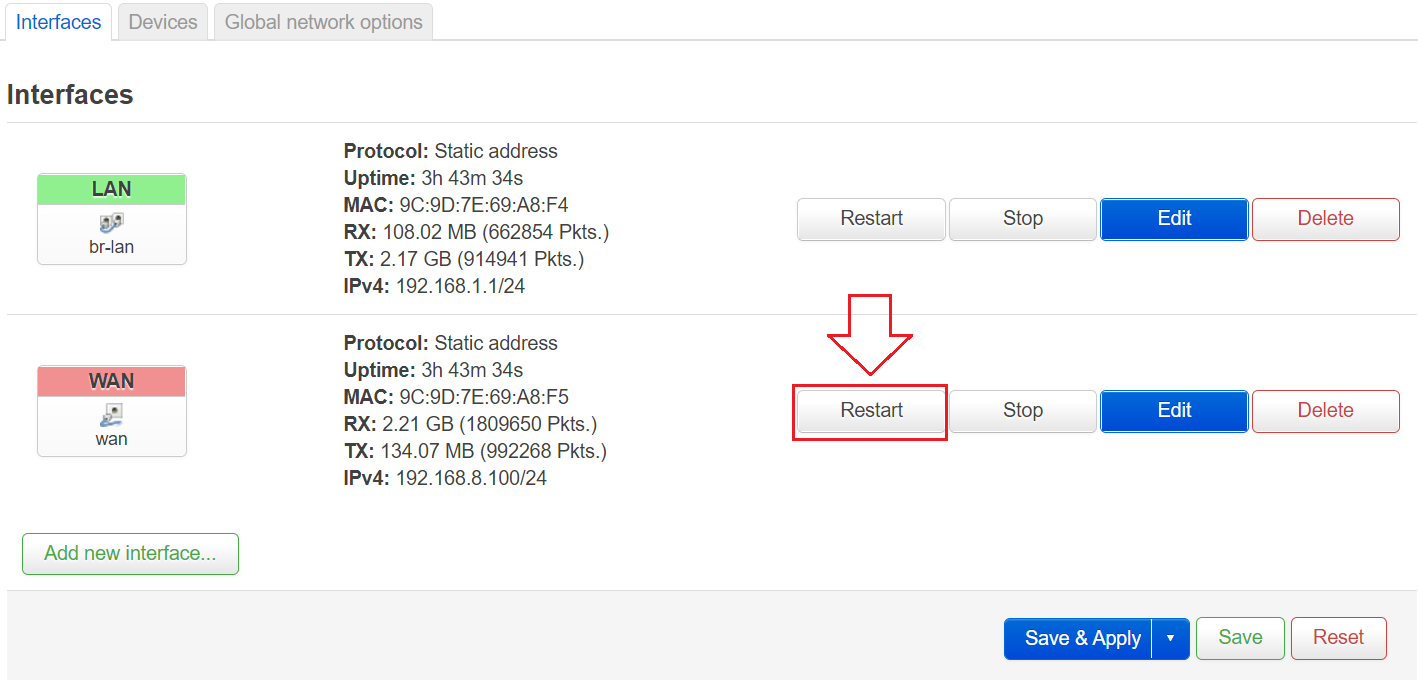
Finished.
That's all you need to add. If there is any feedback, please send it to t.me/mssvpn_hq
Thank you.


Comments
Post a Comment