Troubleshoot - Pass Wall OpenWRT
Troubleshoot - Pass Wall OpenWRT
This time I will show you the troubleshoot you need to do if there is a connection problem with Pass Wall OpenWRT. Follow these steps to troubleshoot.
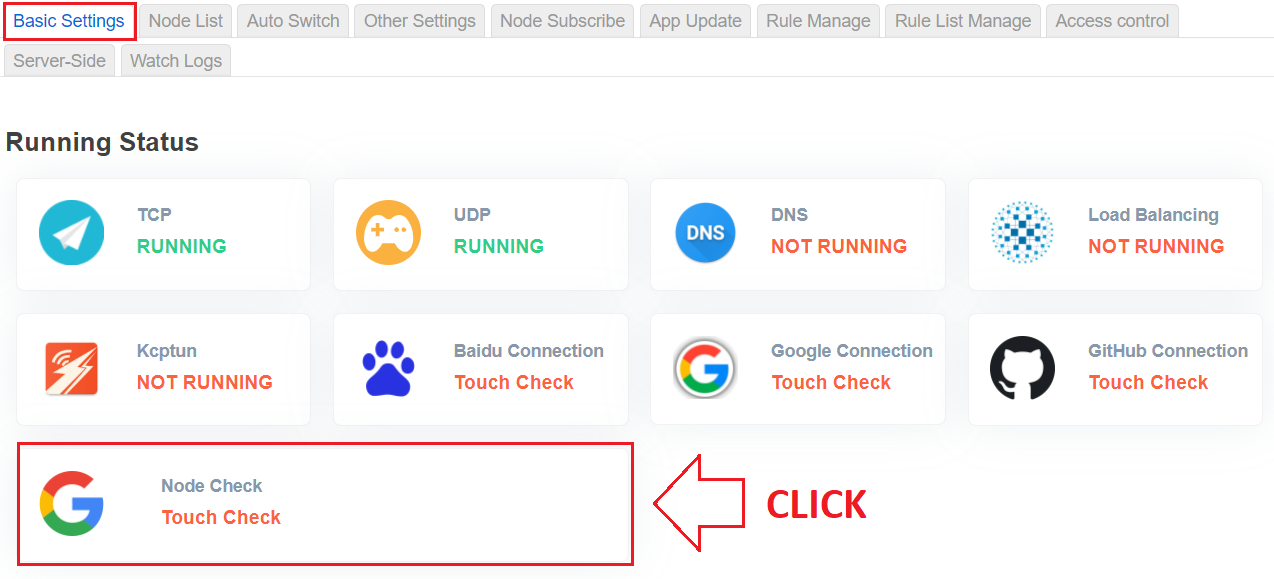
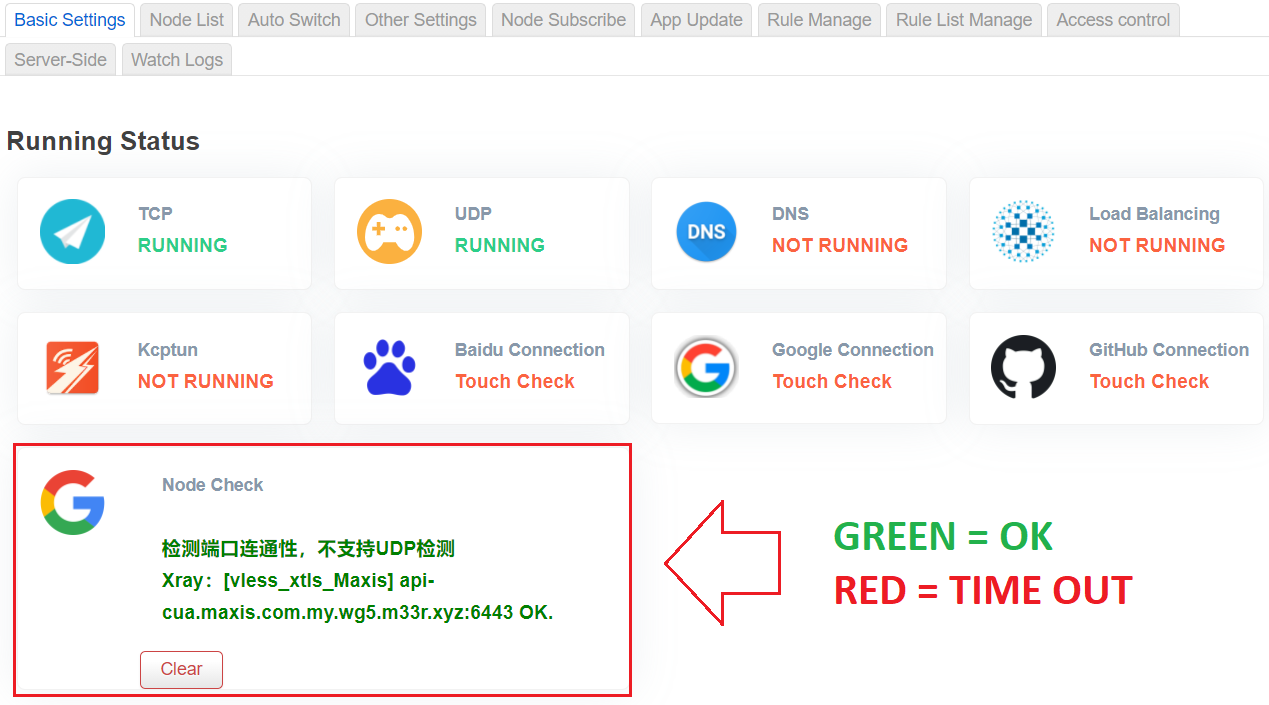
Node Check - This is to determine your Node List time out or normal .
Open the PassWall menu -> Click Check Node as shown below:
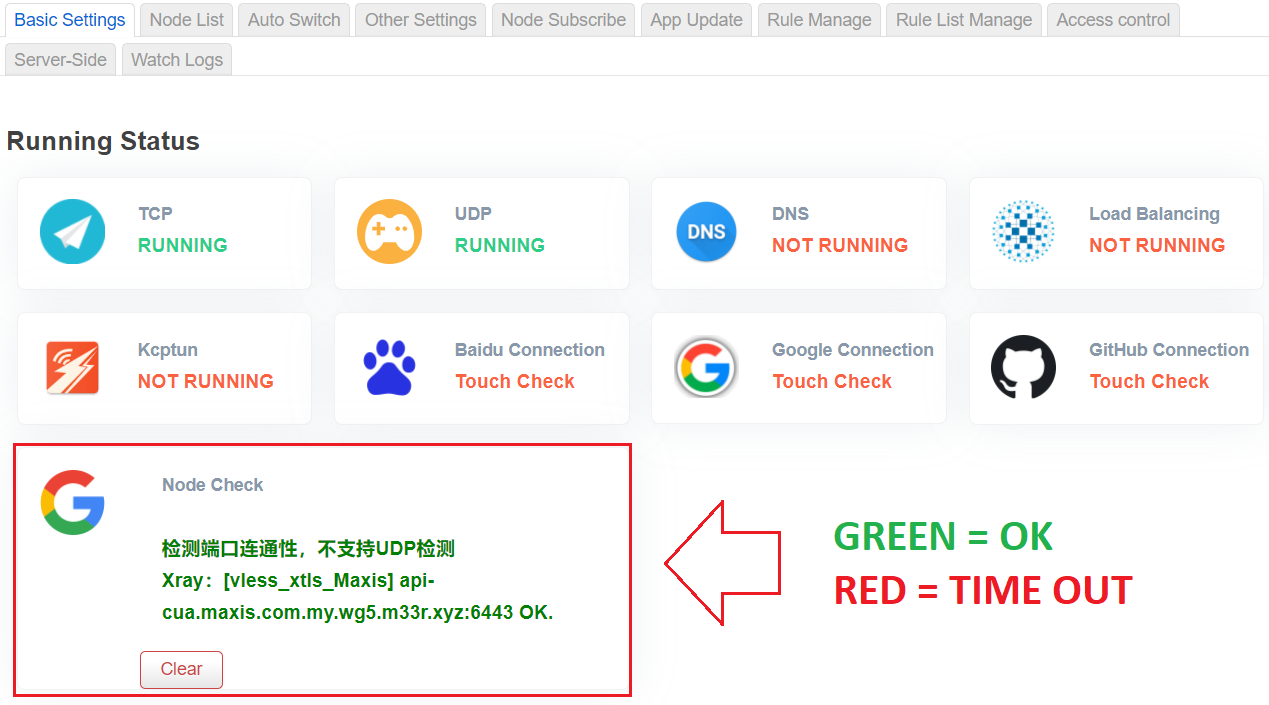
If it is RED , it means there is a connection problem, you need to do the steps below:
Step 1: Change WAN IP Modem
For Huawei MOD Modem users, it is recommended that you install AIO by LoveTacome. The purpose is to make it easier for us to change the new IP from the telco.
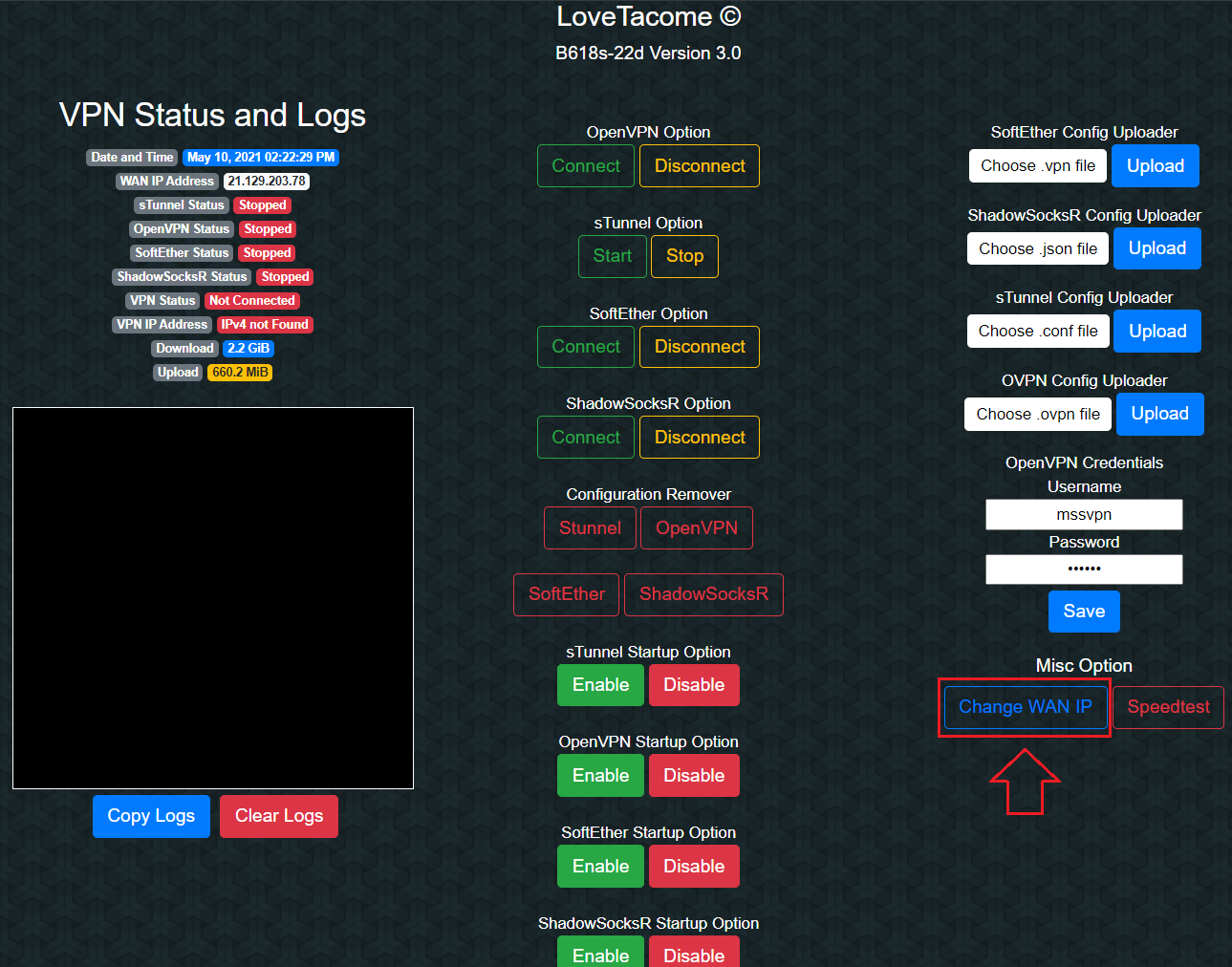
If the modem does not have AIO as above, you need to restart the modem (off/on power plug) to refresh the new IP from the telco. This WAN IP change may also need to be done 2 ~ 3 times before it is successful.
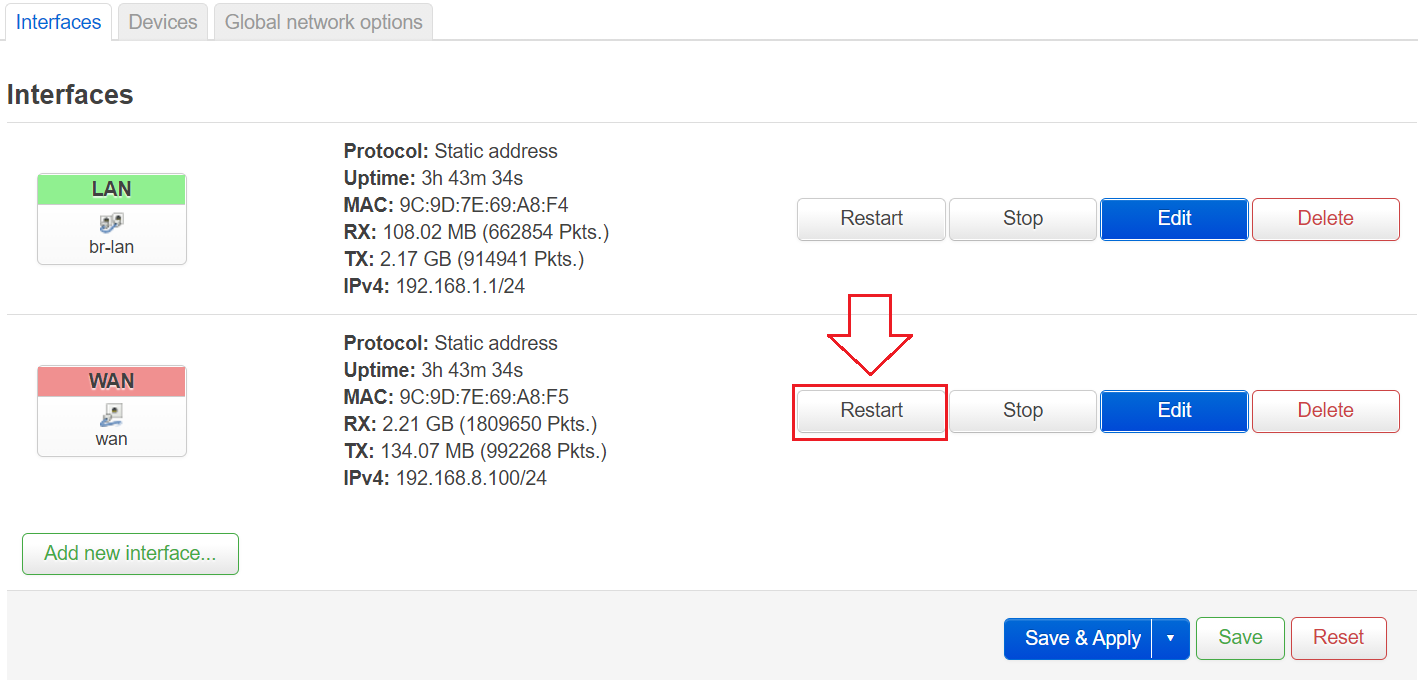
Step 2: Restart WAN Interface OpenWRT
After Change WAN IP or Restart Modem, you need to Restart WAN Interface OpenWRT as pictured below:
Step 3: Check your Node (Node Check)
If it is GREEN, your connection passwall is not a problem.
Step 4: How to restart Passwall (ON/OFF Passwall)
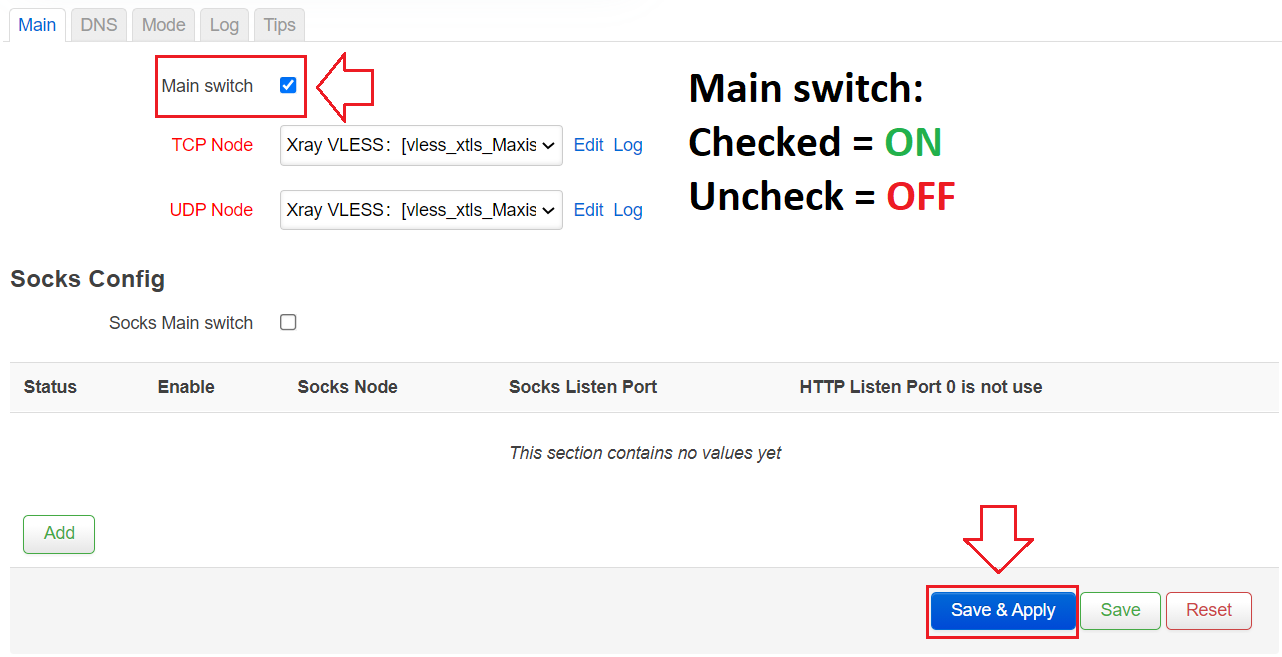
If your passwall is not working properly, you need to do something like this:
Uncheck -> Save & Apply: for OFF Passwall
Checked -> Save & Apply: for ON Passwall
If all the above steps are not successful, you can restart the router (OFF/ON power plug).
Finished.
That's all you need to add. If there is any feedback, please send it to t.me/mssvpn_hq
Thank you.null


Comments
Post a Comment